September 1, 2026
On-Device vs Cloud AI Keyboards: What’s the Difference?
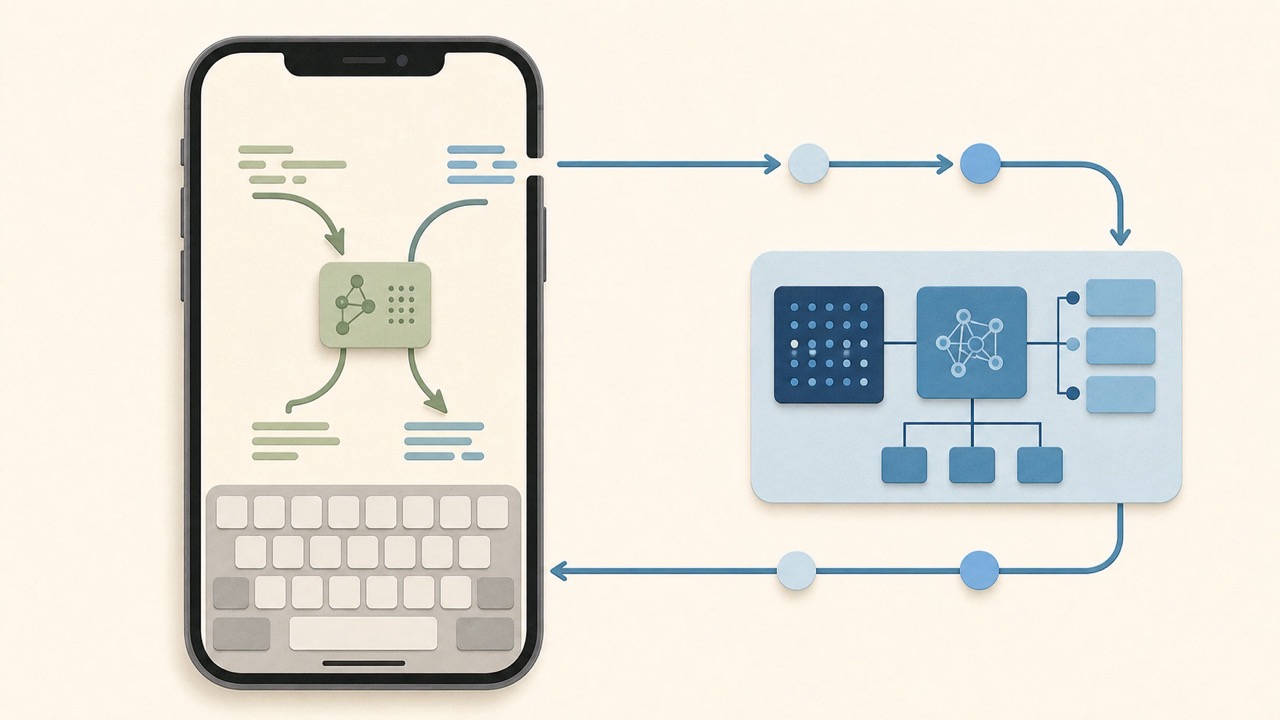
An on-device AI keyboard processes supported writing tasks on your iPhone. A cloud AI keyboard sends the text needed for a request to remote servers for processing, then returns a result. Some products use a hybrid approach.
Neither approach is automatically better. On-device processing can reduce the need to send text away from the phone, while cloud processing can support more computationally demanding AI features. The important step is understanding what a specific keyboard processes, when it sends data, and what its privacy policy says about that data.
The short version
| Approach | Where processing happens | Main advantage | Main trade-off |
|---|---|---|---|
| On-device AI | On the iPhone | Less need to send text to remote servers | Can be limited by device hardware and available models |
| Cloud AI | On remote servers | Can use larger or more capable remote models | Requires network transmission for supported requests |
| Hybrid AI | Some tasks on-device and some in the cloud | Can balance speed, privacy, and capability | You need to understand which tasks go where |
The label “AI keyboard” does not tell you which model a product uses. Read the developer’s documentation, App Store privacy information, permissions explanation, and privacy policy before deciding.
What “on-device” means for an AI keyboard
On-device processing means the AI task runs locally on your iPhone instead of sending the text to a remote server for that task.
In an on-device workflow, the keyboard may be able to:
- Analyze writing locally
- Make suggestions without requiring an active connection
- Continue working when mobile data or Wi-Fi is unavailable
- Reduce the amount of text that must leave the phone
However, “on-device” does not mean every part of an app is automatically private or offline. A keyboard may still use analytics, account services, cloud backup, optional web features, or other network connections. Check the product’s actual data practices instead of assuming that local processing answers every privacy question.
What “cloud AI” means for an AI keyboard
A cloud AI keyboard sends the text relevant to your request to a server, where a remote AI model generates a response or revision.
For example, you might draft an email, tap “Make this professional,” and the keyboard sends the selected text and instruction to a remote service. The service processes the request and returns a rewritten version to your iPhone.
Cloud processing can be useful because remote systems may support larger models and more complex writing tasks. But it means you should understand:
- What text is sent
- When it is sent
- Whether the app sends text only after you trigger an AI action
- Whether the provider stores prompts or outputs
- Whether data may be used for service improvement or model training
- Whether you can opt out
- Where the provider explains retention and security practices
Do not assume that all cloud AI keyboards handle text in the same way. Their data practices can differ significantly.
Why some keyboards use a hybrid approach
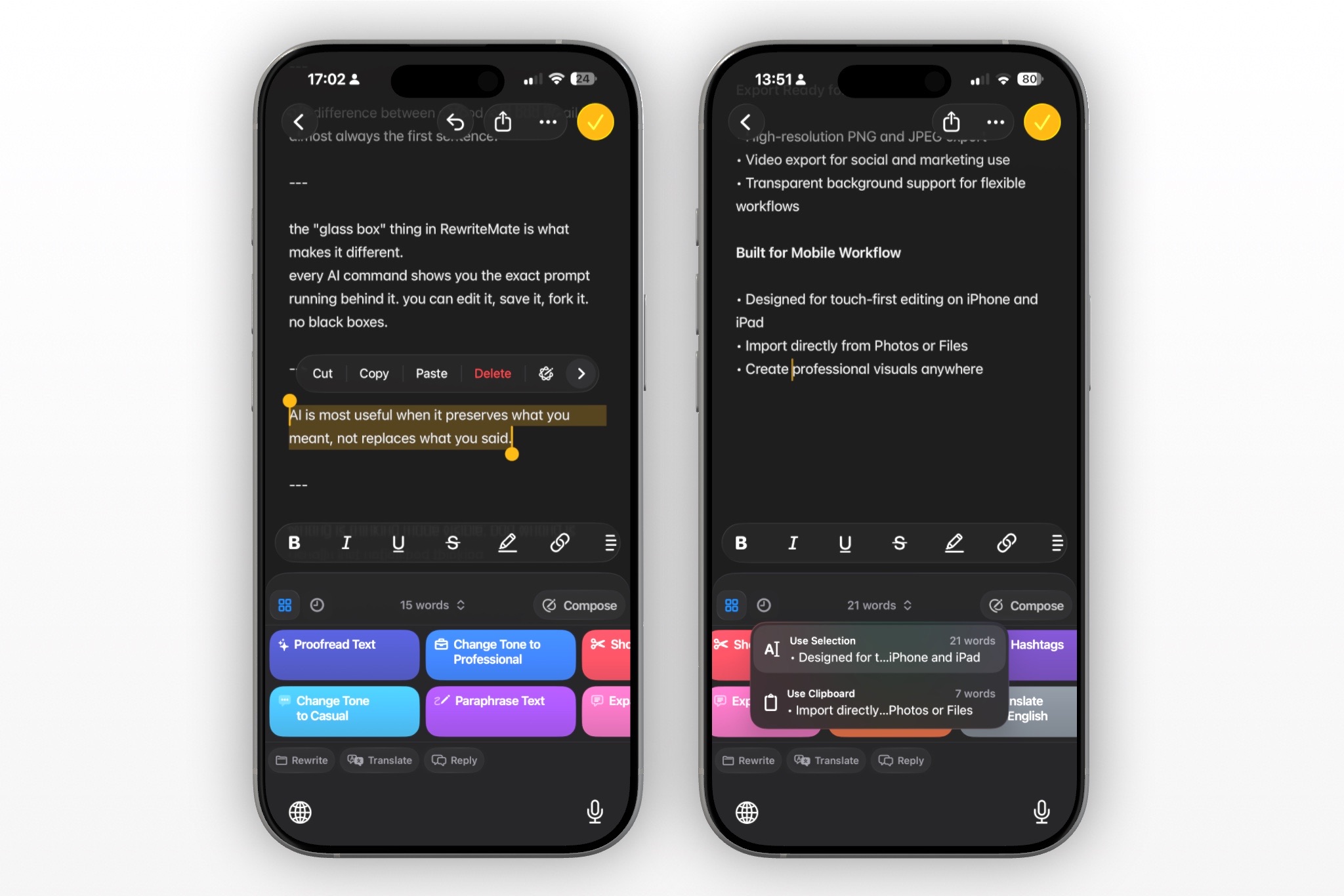
A hybrid approach uses local and cloud processing for different tasks.
A keyboard might handle lightweight features locally, then use cloud processing when you request a more complex rewrite, translation, summary, or generated response. This can reduce unnecessary data transfers while still offering more capable AI features when needed.
Apple Intelligence is an example of a broader AI system that can use both device and cloud resources. Apple says some complex requests can use Private Cloud Compute, a server-based system intended for requests that need more computational capacity. Apple’s Apple Intelligence privacy information explains that Apple uses data relevant to the request for such processing.
This does not mean every third-party AI keyboard works like Apple Intelligence. It is simply a useful example of why “on-device” and “cloud” are not always all-or-nothing categories.
How third-party keyboard permissions affect the decision
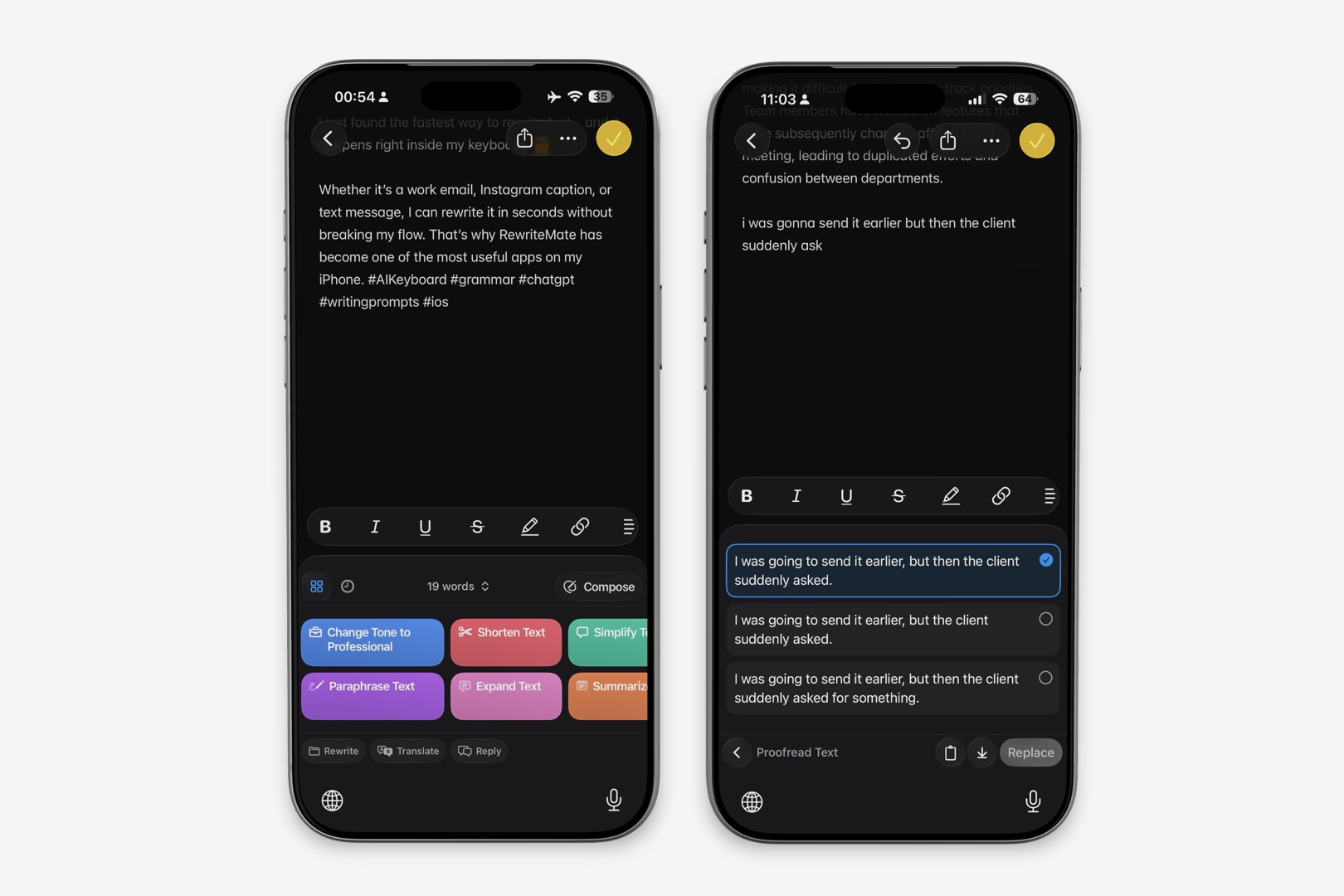
On iPhone, third-party keyboards may request Allow Full Access. This setting matters because Apple’s keyboard-extension framework gives keyboards additional capabilities when open access is enabled.
Apple’s developer documentation states that a custom keyboard needs open access if it requires network resources, shared-container access, or certain other capabilities. Apple’s custom keyboard documentation provides the technical context.
In practical terms:
- A cloud-powered AI keyboard generally needs network access to send requests and return results.
- A purely local keyboard may not need network access for its core writing feature.
- A keyboard’s need for Full Access does not prove that it is unsafe.
- You should still review why it asks, what it sends, and how it protects data.
The best question is not “Does this keyboard request Full Access?” It is “What exactly does this keyboard need Full Access to do, and am I comfortable with that trade-off?”
Privacy questions to ask before installing an AI keyboard
Use this checklist before enabling any AI keyboard on your iPhone.
1. Does it process text on-device, in the cloud, or both?
Look for a direct explanation from the developer. If the answer is vague, ask support or choose a product with clearer documentation.
2. What text is sent to remote servers?
A privacy policy should explain whether text is sent only when you trigger an AI action, whether it is processed automatically, and whether the app accesses surrounding context.
3. Is the text stored?
Check whether prompts, rewritten text, logs, or account data are stored and for how long.
4. Is the text used to train models?
Some services may use data for product improvement or model training under certain conditions. Read the policy carefully and look for available controls.
5. Can you use the keyboard without Full Access?
Some features may work without it, while AI or cloud features may require it. Check the keyboard’s setup instructions.
6. Can you easily turn the keyboard off?
You should be able to remove a keyboard or revoke access from Settings > General > Keyboard > Keyboards.
7. Does the tool fit the sensitivity of your message?
Avoid entering confidential HR, legal, financial, medical, security, or customer information unless you understand the product’s data practices and your organization permits it.
On-device vs cloud AI for everyday writing
Here is how the trade-off can look in common situations.
| Writing task | On-device approach | Cloud approach |
|---|---|---|
| Fixing a typo | Often well suited | Usually unnecessary |
| Basic grammar review | May be well suited | Can offer more extensive rewriting |
| Rewriting a work update | May depend on the local model | Often useful for nuanced revisions |
| Translating a message | May be available offline in some products | Can support broader or more complex language features |
| Writing without internet | More likely to work | Usually requires a connection |
| Processing sensitive text | Can reduce remote transmission | Requires a careful review of the provider’s policy |
| Generating a detailed draft | May be limited by device capabilities | May support more complex output |
These are general patterns, not guarantees. Product design matters more than the category name.
Where RewriteMate fits
RewriteMate is an AI keyboard for iPhone designed to help with rewriting, grammar, tone changes, and other writing tasks while you are typing.
If you are considering RewriteMate or any other AI keyboard, treat privacy review as part of setup:
- Read the keyboard’s App Store privacy information.
- Read its privacy policy and permission explanation.
- Understand what features require Full Access.
- Keep Apple’s keyboard available for sensitive fields and passwords.
- Avoid entering sensitive information unless you are comfortable with the data handling and it is permitted by your organization.
The same review process applies to every third-party keyboard, including those that market themselves as privacy-focused.
Apple Intelligence is not the same as a third-party keyboard
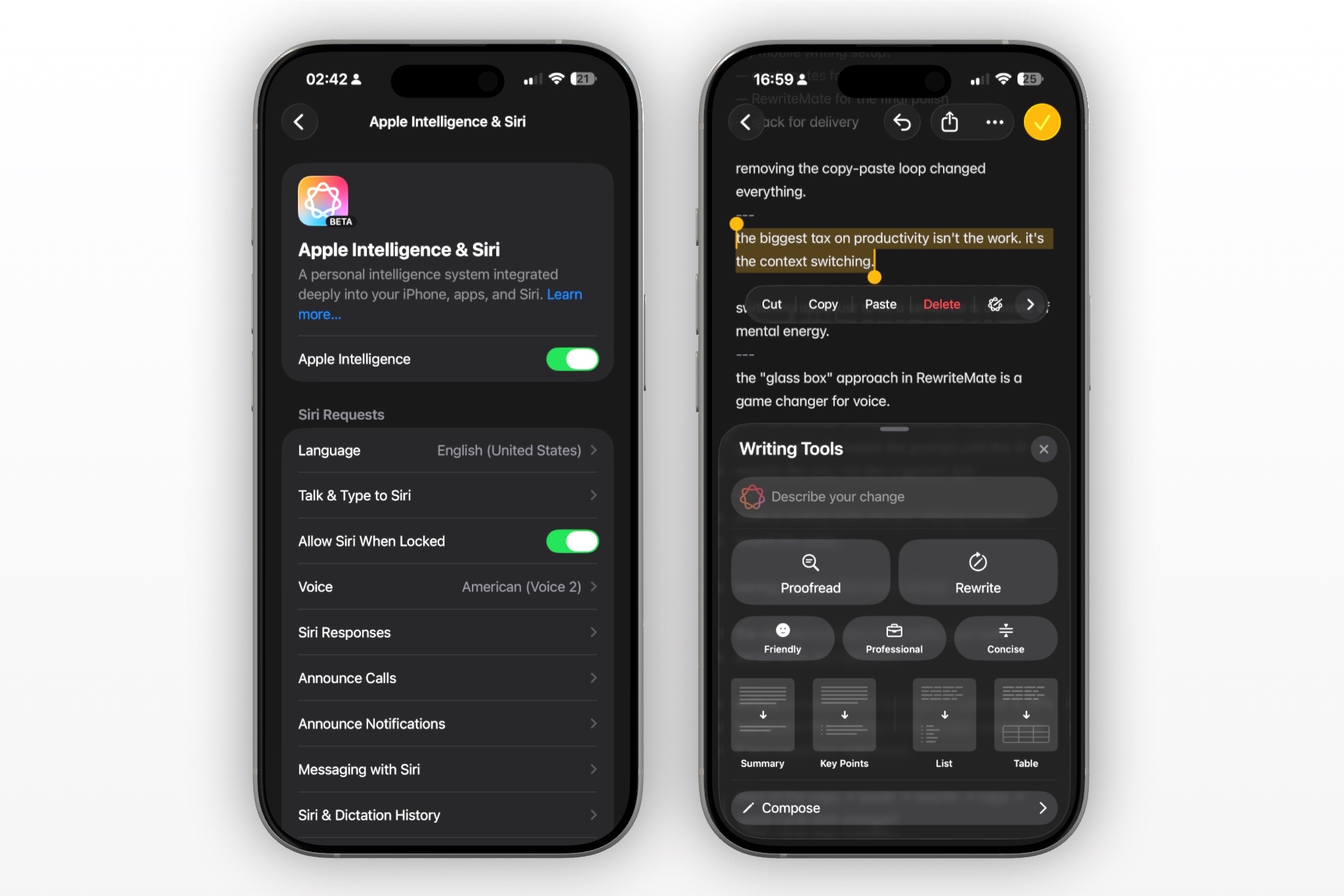
Apple Intelligence can help with writing on eligible iPhones through Writing Tools, but it is not a replacement for every keyboard workflow.
Apple says Writing Tools can proofread, rewrite, summarize, and adjust text tone in supported contexts. Apple’s Writing Tools guide describes the current feature set.
A third-party AI keyboard may be useful when:
- You want a keyboard-based workflow instead of selecting text first.
- You want custom rewrite instructions.
- Your iPhone does not support Apple Intelligence.
- You need assistance in the apps where you type most often.
- You want to compare different AI-writing approaches.
Apple Intelligence may be useful when you have a compatible device and prefer Apple’s built-in selected-text editing workflow.
How to choose the right privacy level for your needs
Use an on-device-first option when your priority is minimizing remote processing and the available local features meet your needs.
Use a cloud-based or hybrid tool when you need the features it provides and are comfortable with its documented data practices.
For many people, the best approach is situational:
- Use Apple’s keyboard for passwords and secure fields.
- Use built-in typing assistance for quick corrections.
- Use an AI keyboard for low-risk writing tasks where a rewrite saves time.
- Avoid processing sensitive work or personal information unless the tool and policy are appropriate.
- Review AI-generated text before sending it.
Privacy is not a single toggle. It is a set of decisions about the tool, the permissions, the information, and the situation.
Write better everywhere
Rewrite, rephrase, and refine text instantly without switching apps.
Common misconceptions about AI keyboard privacy
“On-device means no data ever leaves my phone”
Not necessarily. A specific feature may run locally, but the app may still connect for account, analytics, updates, optional cloud functions, or other services. Read the documentation.
“Cloud AI means anyone can read my messages”
Not necessarily. Cloud processing can include security controls and contractual privacy commitments, but you should still understand the provider’s handling, retention, and access policies.
“Full Access means the keyboard reads everything I type”
Not automatically. Full Access expands what a third-party keyboard can do, including network-related capabilities, but you should review the developer’s explanation and privacy policy to understand its behavior.
“A keyboard is safe because it has a privacy policy”
A privacy policy is important, but it is not a substitute for reading the details, reviewing permissions, using good judgment, and following workplace requirements.
Frequently asked questions
Are on-device AI keyboards more private than cloud AI keyboards?
On-device processing can reduce the need to send text to remote servers for a specific task. But privacy depends on the entire product design, including analytics, accounts, optional cloud features, permissions, and data-retention practices.
Do cloud AI keyboards save what I type?
It depends on the provider. Check its privacy policy and documentation for details about what is processed, stored, retained, or used for service improvement.
Does an AI keyboard need Full Access to work?
Some basic keyboard features may work without it. A keyboard that needs network access for cloud AI features generally requires open access. Read the keyboard’s explanation before enabling it.
Can I use an AI keyboard without internet?
A cloud-powered feature usually needs an internet connection. An on-device feature may work offline, depending on the keyboard and your iPhone.
Is Apple Intelligence fully on-device?
Apple says Apple Intelligence can use on-device processing and Private Cloud Compute for more complex requests. The specific processing path depends on the request and Apple’s system design.
Should I use an AI keyboard for work messages?
It can be useful for low-risk grammar, clarity, or tone edits. Follow your employer’s policies and avoid entering confidential information unless the tool is approved for that use.
How can I protect my privacy when using an AI keyboard?
Review permissions and privacy information, understand when data is sent, use Apple’s keyboard for sensitive fields, limit the sensitive information you enter, and remove keyboards you no longer use.
Choose the workflow you understand and trust
The most useful AI keyboard is not simply the one with the most features. It is the one whose workflow, permissions, and data practices you understand.
On-device processing can be attractive when reducing remote data transfer is the priority. Cloud AI can be valuable when you need more capable writing assistance. Before choosing either, read the documentation, review permissions, and use RewriteMate or any AI keyboard thoughtfully.
Related articles
Keep reading

Do AI Keyboards Read Everything You Type? What iPhone Users Should Know
AI keyboards can process text to provide writing help, but what they can access and send depends on iPhone permissions, the keyboard’s design, and the provider’s privacy practices.

How to Enable Allow Full Access for a Keyboard on iPhone
Learn how to turn on Allow Full Access for a third-party keyboard on iPhone, what the setting enables, and how to decide whether it is right for you.

Third-Party Keyboard Not Showing Up on iPhone? 8 Fixes That Work
Fix a third-party keyboard that is missing, won't open, or keeps switching back to the Apple keyboard on iPhone with these practical troubleshooting steps.

Felix Tran
RewriteMate Dev & Editorial Lead
Write about everyday workflows, systems that help ideas move faster, from first draft to finished work.