
October 29, 2026
How to Ask Your Manager for a Deadline Extension Before It Slips
Ask as soon as you can see the original deadline is at risk. State what is due and when, give a brief truthful reason, propose a realistic new date, and offer a useful interim update or partial handoff if you can. A clear request gives your manager a chance to adjust dependencies; it does not guarantee they can approve the change.
The best message is direct rather than apologetic or dramatic. You do not need to disclose private details or write a long defense. Give enough context to help your manager make a decision, then make the requested change explicit.
Use this four-part structure
Before sending, make sure the message answers four questions:
- What is at risk? Name the deliverable and original deadline.
- Why is more time needed? Give one concise, accurate reason, such as extra review work or a dependency that has not arrived.
- What are you asking for? Propose a specific date and, when useful, a time.
- What can happen in the meantime? Offer a progress update, a partial version, or a choice about what to prioritize—only if you can deliver it.
That sequence keeps the request easy to act on. It also separates an extension request from a general status update: the manager should not have to infer what decision you need. Career guidance from Indeed’s deadline-extension guide similarly recommends raising the risk early, explaining the reason honestly, and naming a specific, achievable new deadline. Treat that as practical guidance, not a promise that a manager will grant the request.
Check the new date before you ask
Do not replace one uncertain promise with another. Before proposing a date, list the remaining work, review time, outside dependencies, and other deadlines that could interrupt it. If you cannot estimate the full delivery yet, ask for a short planning conversation or promise a time for your next update—not a completion date you have not verified.
If the due date may be fixed because another team, customer, launch, or approval depends on it, say that you understand the constraint. You can still ask whether scope, sequencing, or a partial handoff can change. Avoid presenting a preferred date as though it were already approved.
Indeed’s guide also notes that a deadline can affect other people’s work, and recommends giving the supervisor time to adjust the schedule. That is why an early heads-up is more useful than waiting until the day of delivery. If you already missed the deadline, use a different message: acknowledge that it passed, explain the current status, and propose a recovery plan. Do not word a post-deadline apology as if you were still requesting advance approval.
Short message for Slack or Teams
Use the channel you and your manager normally use for work updates. Keep the request readable on a phone:
Hi [Manager], I want to flag that [deliverable] is at risk for [original date] because [brief, factual reason]. Could we move the deadline to [realistic date]? I can share [specific partial item or progress update] by [date] so you can see what is ready. If the original date is fixed, please let me know which part I should prioritize.
Only include the partial item or alternative if it is genuinely available. If you are not sure what can move, ask for a quick decision rather than offering several options you have not checked.
Example: review is taking longer than expected
Hi Jordan, I’m still checking the figures in the regional report, and that review is taking longer than I estimated. Could I send the verified version by Thursday at 2 p.m. instead of Wednesday? I can share the completed summary section today. If Wednesday is fixed, I can send the current draft and flag the figures that still need review.
The example names the work, original date, reason, specific request, and an alternative. Change the details to match what is true; do not claim figures are verified if they are not.
Example: you are waiting on another team
Hi Priya, the launch checklist depends on the final accessibility review, which I have not received yet. Could we move my completed checklist to Monday? I’ll send the sections that do not depend on that review by Friday and update you if the review arrives sooner. If Monday conflicts with the release plan, can we agree on which checks must be completed first?
This avoids blaming a colleague while making the dependency visible. If the delay is outside your control, you can still own the communication and identify what decision or support would unblock the work.
Email version for a more formal request
Subject: Request to adjust [deliverable] deadline
Hi [Manager],
I’m writing about [deliverable], currently due [original date]. [Brief, accurate reason] means I need additional time to complete [specific remaining work] and check it properly.
Could I submit it by [proposed date and time]? I can send [specific interim item] by [date] if that helps with planning. If the original deadline cannot move, please let me know whether I should prioritize [option A] or [option B].
Thank you,
[Name]
If you discuss the request live, send a short follow-up afterward that records only what was actually agreed: the deliverable, revised date, and any changed scope or interim check-in. Indeed recommends confirming a new deadline after a conversation; the confirmation is a practical record, not a substitute for your team’s project system or approval process.
When not to send a simple extension request
Some situations need more than a wording fix:
- The deadline is contractual, regulatory, customer-facing, or tied to a formal review. Check the relevant process or ask the person with authority before treating a new date as approved.
- The real issue is workload or priority conflict. Ask your manager which work should move; do not quietly promise an extension while keeping every competing deadline unchanged.
- You need an accommodation, leave, or help with a health or safety issue. Use the appropriate workplace or HR process and share only what is needed through the right channel. This guide is not legal or HR advice.
- The work may be incomplete or unsafe if rushed. State the specific risk and use the normal escalation path rather than minimizing it to make the request sound more polished.
A fact-safe RewriteMate command for repeat requests
If you regularly draft deadline updates from your iPhone, a saved custom command can help keep the structure consistent. RewriteMate’s official custom-command guide describes custom commands as saved instructions that appear as keyboard chips. The command can help transform text you provide; it cannot determine your workload, approve a new date, or verify your manager’s priorities.
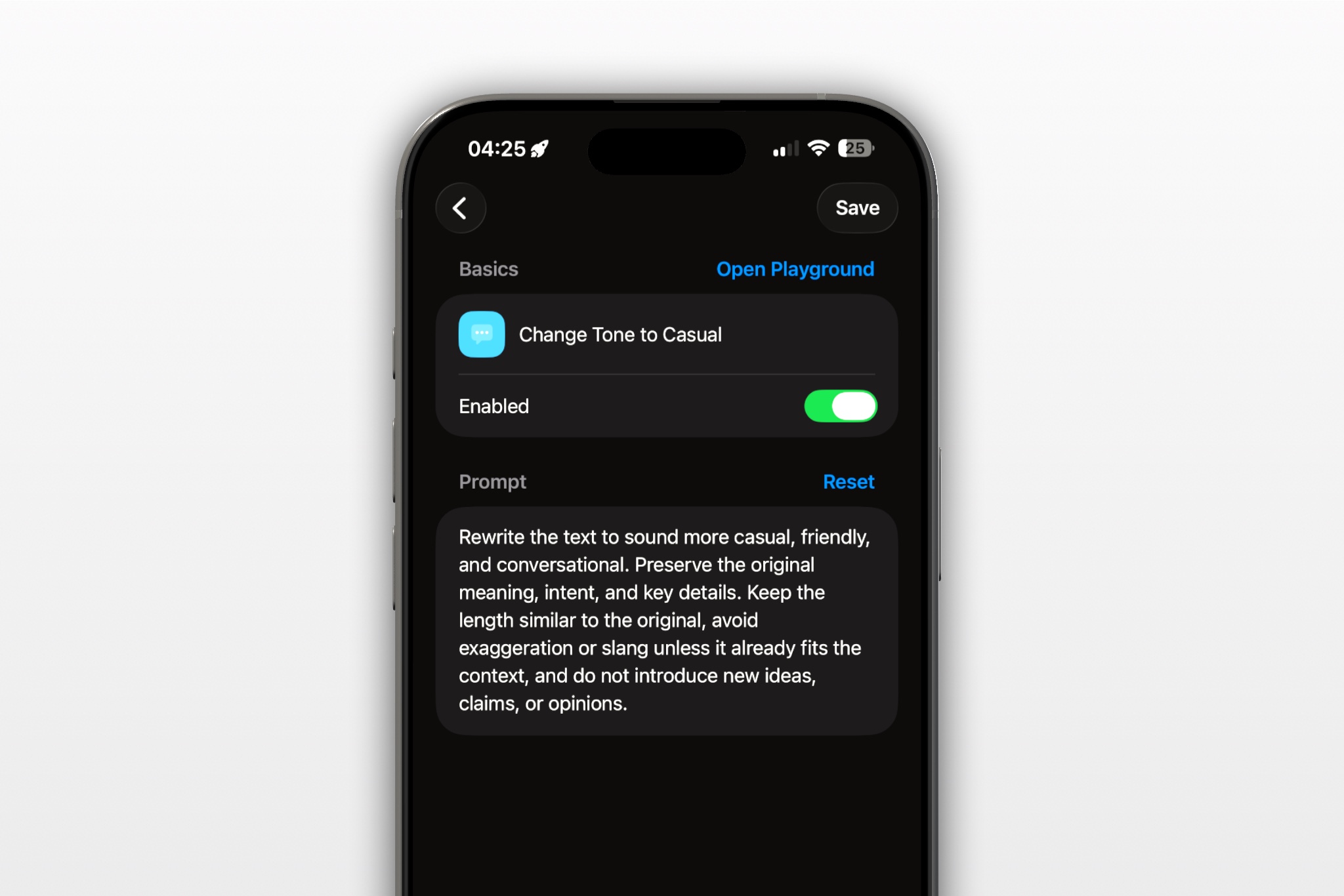
Suggested command:
- Name: Deadline Extension Request
- Folder: Work Messages
- Output action: Copy, so you can review the draft before placing it in the work conversation
Turn my notes into a concise, respectful message asking my manager to adjust a work deadline. Preserve the deliverable, original date, proposed date, reason, progress, dependencies, and all facts exactly as supplied. State the request clearly and offer an interim update only if one is included in my notes. Do not invent an excuse, completion date, approval, commitment, or alternative. If the new date or reason is missing or uncertain, ask me a question instead of filling it in.
Example input: “Report due Wed. checking three numbers from Finance; need until Thu 2pm. Can share summary today. If Wed fixed ask what to prioritize.”
Possible draft: “Hi Jordan, I’m checking three figures with Finance for the report due Wednesday. Could I send the verified version by Thursday at 2 p.m.? I can share the summary today. If Wednesday is fixed, please let me know what to prioritize.”
This is an illustrative transformation, not a product test or a guarantee of exact output. Before sending, verify the dates, reason, remaining work, recipient, and whether you are authorized to offer the interim item. RewriteMate can help shape the wording; the decision and facts remain yours.
Quick checks before you send
- Is the original deadline visible, so the change is clear?
- Is the reason accurate and limited to relevant context?
- Is the proposed date based on the remaining work and dependencies?
- Did you ask for approval rather than imply the date has changed?
- Is every progress update or partial delivery something you can actually provide?
- If the request is declined, do you know what to ask next—scope, priority, help, or an interim deliverable?
Frequently asked questions
When should I ask my manager for an extension?
As soon as you have a reasonable basis to think the original date is at risk. An early request gives your manager more time to assess downstream work; it does not guarantee approval.
How much detail should I give?
Give the deliverable, the short factual reason, and the work still needed. You generally do not need to include private personal details unless a formal workplace process requires them.
Should I apologize when asking for more time?
If you are raising a risk before the deadline, a brief acknowledgement may be enough; focus on the request and plan. If the deadline has already passed, acknowledge that directly and explain the next step instead of disguising it as an advance request.
What if I do not know the new completion date?
Do not guess. Explain what you are checking and propose a specific time for your next update, or ask your manager to help choose between scope and priority options.
What if my manager says the original deadline cannot move?
Ask what should change to make it feasible: reduce scope, reorder work, add help, or identify a must-have portion for the original date. Confirm the agreed trade-off in the normal project channel.
Can RewriteMate decide whether my deadline request is reasonable?
No. It can help draft or transform text, but it cannot validate your capacity, workplace policy, project dependencies, or your manager’s approval. Check those details yourself before sending.
Related articles
Keep reading

How to Tell a Client You Need More Time Professionally
A clear way to request more time from a client without making excuses, overpromising a new date, or leaving the next step unclear.

How to Write a Project Blocker Update Without Blame
Tell your team what is blocked, what is still moving, and exactly what would unblock the work. Use neutral, fact-checked templates that separate confirmed impact from guesses.

How to Apologize Professionally for a Mistake at Work
A professional apology names the mistake, owns its impact, and tells the other person what happens next. Use these practical structures and examples to respond clearly without overexplaining or making promises you cannot keep.

Felix Tran
RewriteMate Dev & Editorial Lead
Write about everyday workflows, systems that help ideas move faster, from first draft to finished work.