May 9, 2026
I Write 40 Messages a Day on My iPhone. This keyboard help me sounds better in all of them.
I send somewhere between 35 and 50 messages on my iPhone every single day.
Work emails. Slack replies. Client follow-ups. A few texts that somehow need to sound professional. By noon I've already written more on my phone than most people write on a laptop.
And for a long time, every single one felt slightly off.
Not wrong, exactly. Just not quite me. A little too stiff in the work emails. A little too casual in the important ones. I'd read something back right before hitting send and think — that's not how I actually talk.
The frustrating part wasn't the writing itself. I knew what I wanted to say. The frustrating part was the gap between what I meant and what was landing.
I tried the obvious fixes. Grammarly made my sentences technically correct and somehow more robotic. Apple Intelligence's Writing Tools were fine for a quick proofread, but the tone options — Professional, Friendly, Concise — felt like choosing a font. None of them were mine. And copying text into ChatGPT to rework a single sentence, then copying it back, felt like using a sledgehammer to push a thumbtack.
The problem wasn't that I was writing badly. The problem was that every tool for fixing it was also flattening me out.
So I spent a few months trying to figure out why — and what to actually do about it.
Sound clear, natural, and confident in every message.
Polish emails, chats, and posts with an AI keyboard built for real communication.
The real issue with most AI writing tools
When you hand a piece of writing to most AI tools, they optimize for generic quality. Clear. Professional. Inoffensive. They sand off the edges.
That works fine if your goal is to produce technically acceptable output. It doesn't work if you care about sounding like a specific person — because that specific person is the whole point.
A customer support rep for a boutique brand and a lawyer writing to a client both need to sound "professional." But they don't sound the same. The rep needs warmth and accessibility. The lawyer needs precision and gravity. Neither of them is served by a button that says "Professional."
The same thing is true for casual communication. My version of friendly is dry and a little self-deprecating. A generic AI's version of friendly is pep-rally energy. When it rewrites my Slack message in its voice, I wince.
Most writing tools are designed to make you sound better. The good ones help you sound more like yourself.
The distinction matters more than it seems.
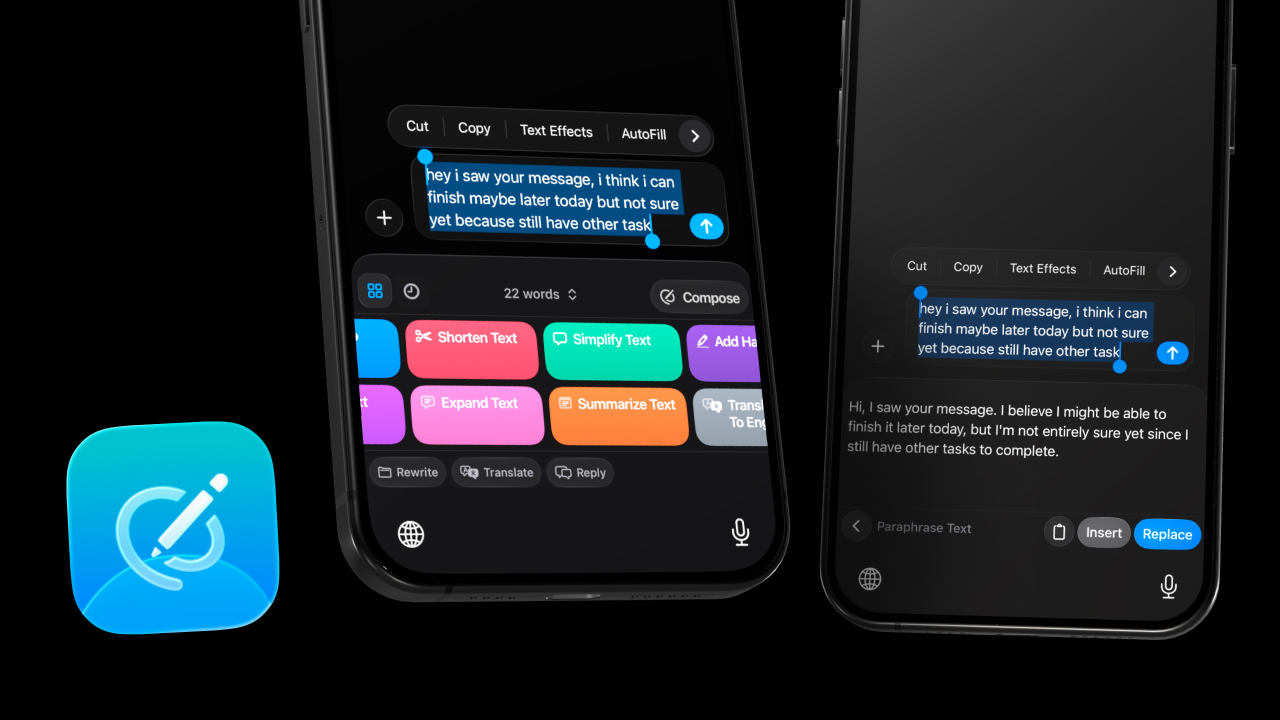
No copy-paste. No app switching. Just better writing
RewriteMate brings AI writing assistance directly into your keyboard.
What I actually needed: a tool with memory for my voice
I didn't need AI to write for me. I needed AI that had absorbed enough of my preferences that its suggestions actually fit.
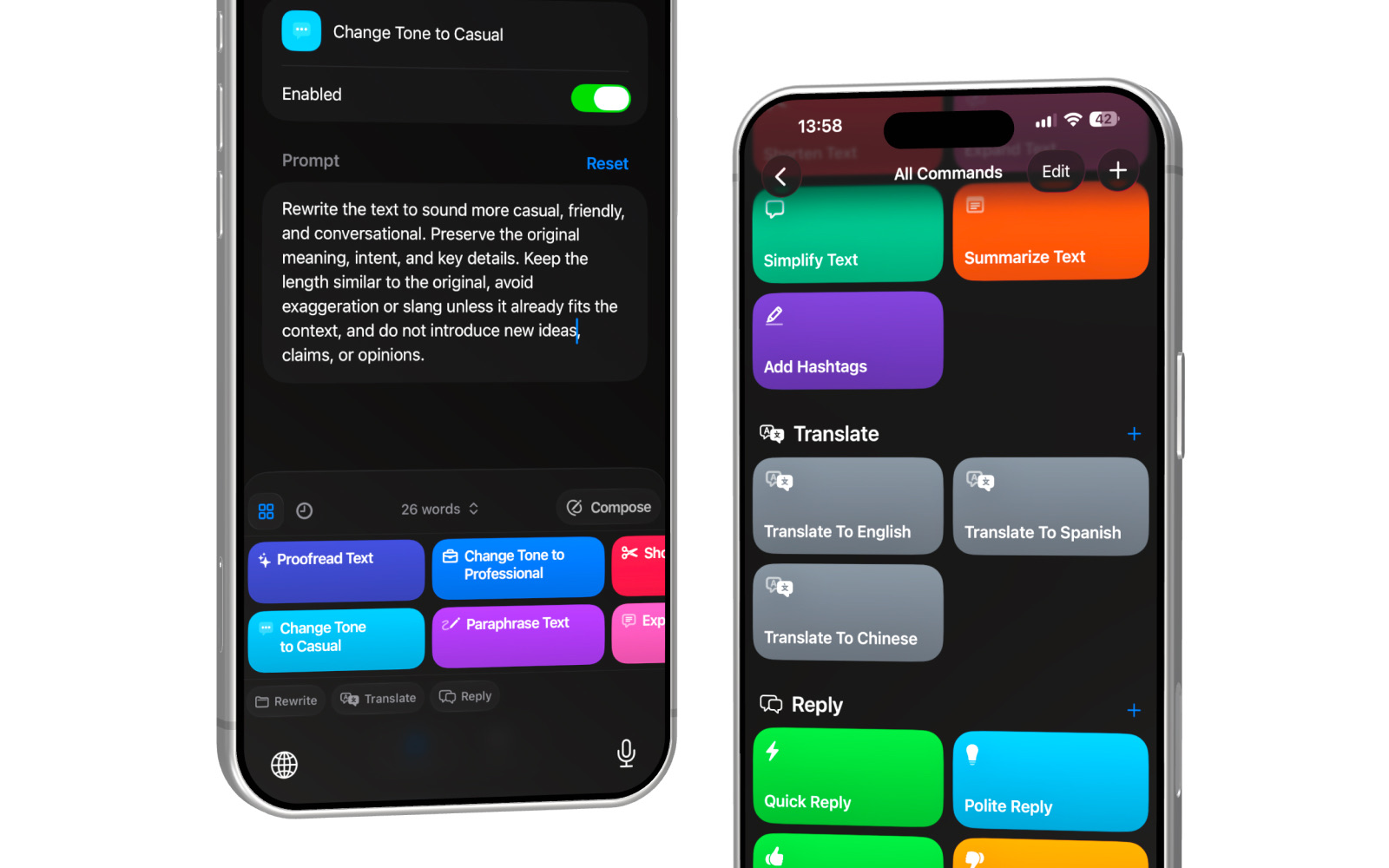
The closest thing I've found is a setup built around custom AI commands. The idea is simple: instead of using someone else's definition of "professional" or "casual," you write your own. You describe exactly how you want the AI to rewrite — and it uses that description every time.
Here's a concrete example. My default "make it professional" prompt isn't just "rewrite this more professionally." It's something like: "Rewrite to sound confident and direct, not warm. Keep sentence length short. Never start with 'I hope this finds you well.' Preserve my original phrasing wherever possible."
That's my professional. Not a generic template's version of professional.
I use RewriteMate to run these commands directly inside my keyboard — which means they work in Mail, in Slack, in Notes, in Instagram DMs, everywhere I'm actually writing. I tap the command, the text transforms, I review it and hit send. No app-switching. No copy-paste. Thirty seconds, start to finish.
The shift that changed everything wasn't finding better AI. It was writing my own instructions for how the AI should behave.
The commands I use every day
I have about eight custom commands saved, but three do most of the work.
The first is my professional rewrite — described above. I use it for client emails, anything going to someone I don't know well, and any reply where I've already drafted something a bit sloppy and need it cleaned up without losing what I actually said.
The second is a shortening command. Not "make this concise" — that produces summaries that drop context. Mine is: "Cut this by 30%. Keep the specific details. Remove throat-clearing phrases and filler. Don't restructure the order." The result reads like me, just tighter.
The third is what I think of as a "soften slightly" command, for moments when I've written something accurate but a little blunt. Not "make it friendlier" — that produces exclamation points I'd never use. Mine is: "Keep the content and tone mostly intact. Round off any edges that might read as curt. Don't add warmth that isn't already there."
None of these took more than five minutes to write. And the difference between using a generic preset and using one of these is immediately obvious in the output.
Why the keyboard layer matters more than you'd think
There's a friction cost to switching apps that's easy to underestimate.
When I was copy-pasting into ChatGPT, the process technically worked. But it also meant breaking out of whatever I was doing, waiting for a response, reading it in a completely different context, deciding whether to use it, and then pasting back — at which point I'd often lost the thread of what I was even trying to write.
That context break compounds across 40 messages. It adds up to something that feels like constant interruption.
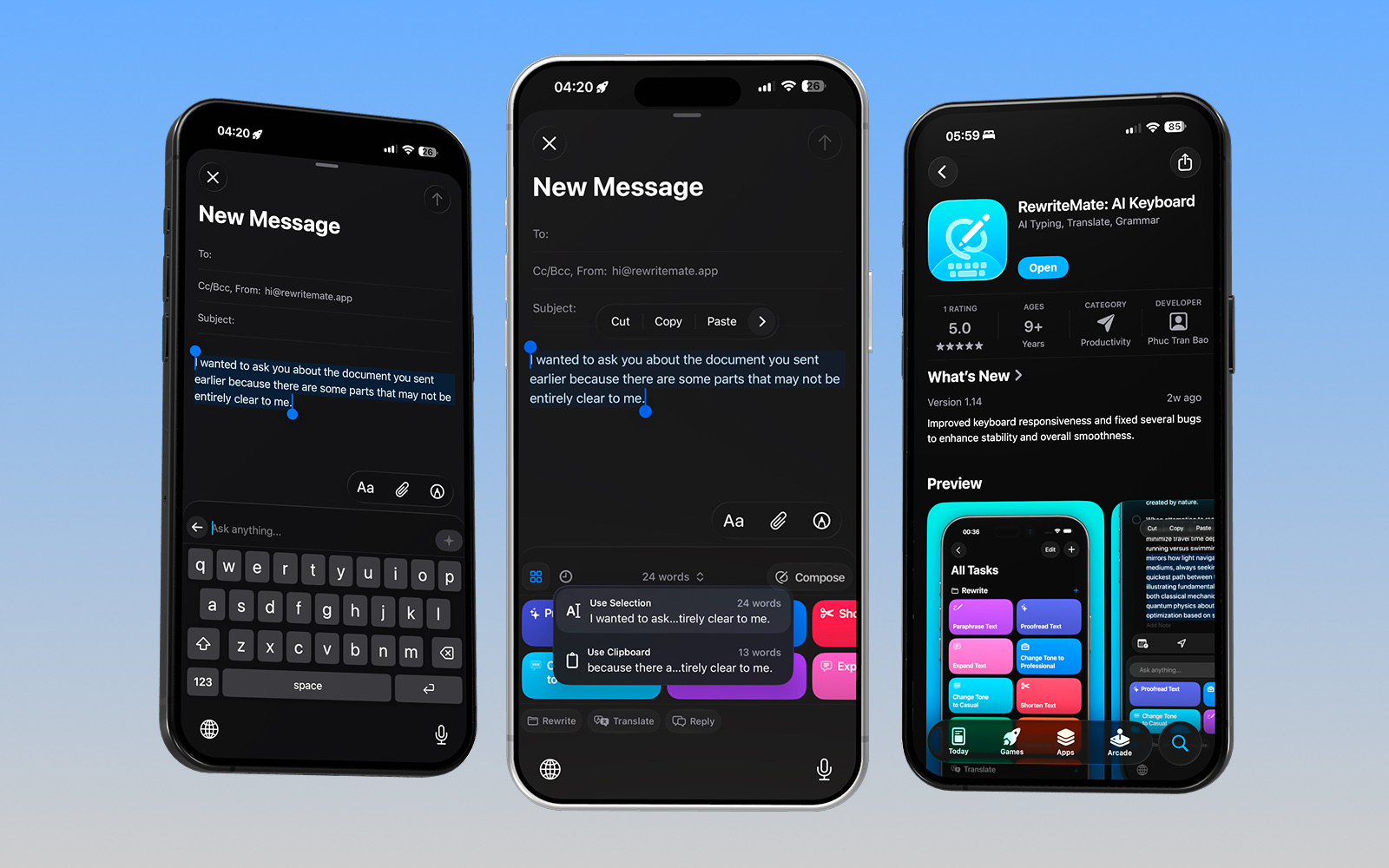
Having these commands live inside the keyboard — in the same place I'm already typing — removes all of that. I stay in the email. I stay in the message. The AI is a quiet layer underneath, not a separate tab I have to visit.
Keeping AI in the keyboard means it doesn't break the thing it's supposed to help with.
The best version of a writing tool is one you don't have to think about — one that's just there when you need it, invisible when you don't.

The thing no one tells you about AI writing tools
Using AI for your writing doesn't have to mean surrendering your voice.
The tools that feel wrong — the ones that produce output you immediately want to edit back to what you had — are the ones working from someone else's definition of good writing. The ones that feel right are the ones you've trained on your own.
It takes maybe an hour to write three or four custom commands that actually capture how you write. After that, you use them every day without thinking about them.
I still write every message myself. I still make the judgment calls about what to say and how much to say. I just don't spend mental energy turning my draft into something that sounds polished — because I have a command for that, and it knows what polished means to me.
Forty messages a day sounds like a lot. With the right setup, it doesn't feel like it.
If you want to try building your own command library, RewriteMate is worth a look — you can get it on the App Store and have your first custom command running in about 5 minutes.

Felix Tran
Indie Developer & RewriteMate Founder