July 3, 2026
Grammarly Alternative iPhone: RewriteMate vs Grammarly
If you write a lot on your iPhone, you’ve probably hit the same wall over and over: your message is almost right, but not quite. Maybe your email sounds too casual. Maybe your text has awkward grammar. Maybe you want to translate a sentence, shorten a long paragraph, or make a LinkedIn DM sound more professional before you send it.
That’s exactly where AI writing keyboards come in.
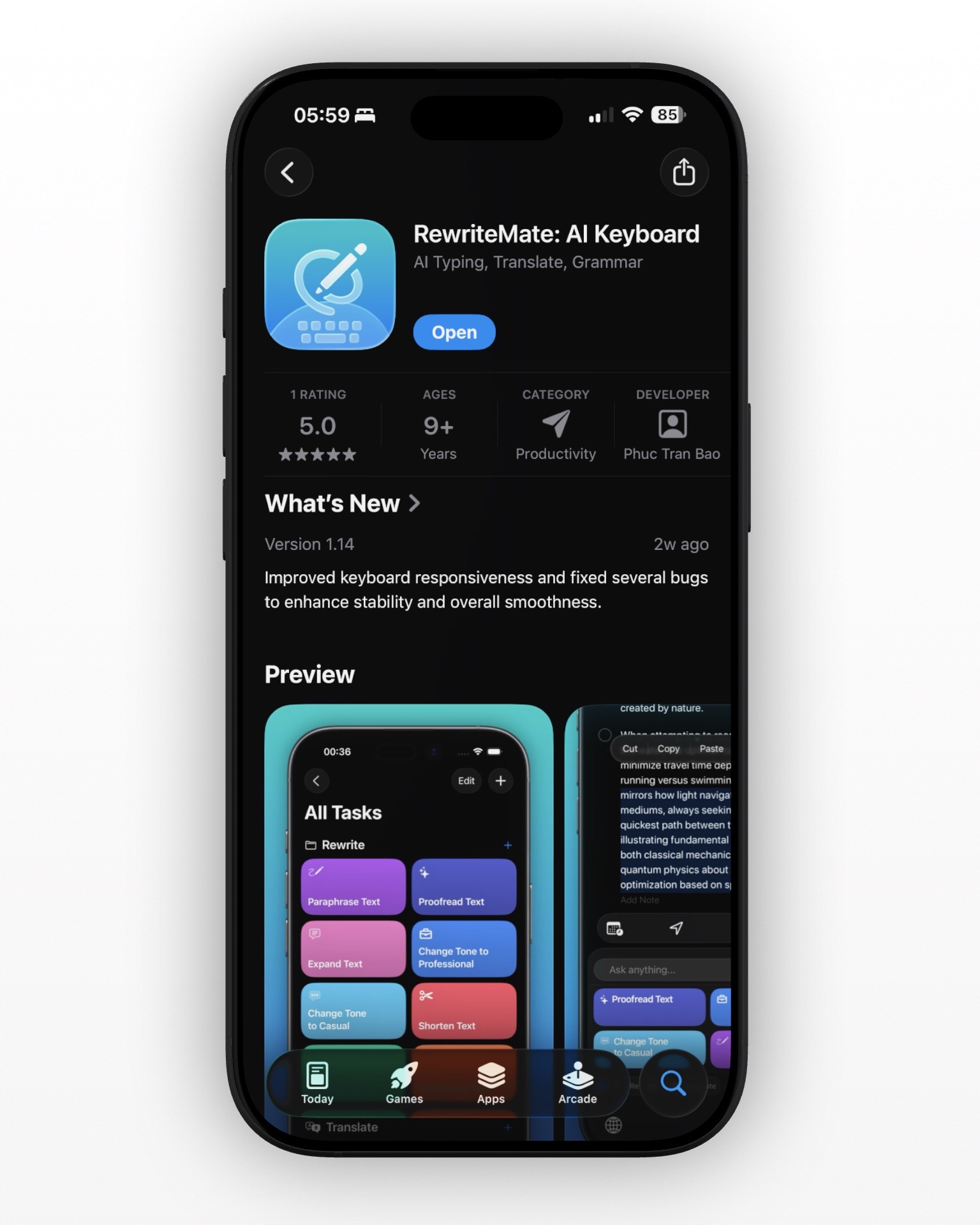
Two options that stand out for iPhone users are RewriteMate and Grammarly Keyboard. Both help you improve your writing inside mobile apps, but they’re built around different workflows. Grammarly has long been known as a grammar and proofreading tool, while RewriteMate is designed as an AI keyboard for rewriting, paraphrasing, tone changes, translation, and custom writing commands directly inside any app.
So which one is actually better for mobile writing?
In this guide, we’ll compare RewriteMate vs Grammarly Keyboard across mobile workflow, rewriting, grammar correction, customization, translation, pricing, and overall value so you can decide which AI writing tool is best for your needs.
Quick Answer: RewriteMate or Grammarly?
If you don’t want to read the full comparison, here’s the short version:
- Choose RewriteMate if you want an AI keyboard that can rewrite, paraphrase, shorten, expand, translate, and change tone directly inside apps like Messages, Mail, Notes, and social apps on iPhone.
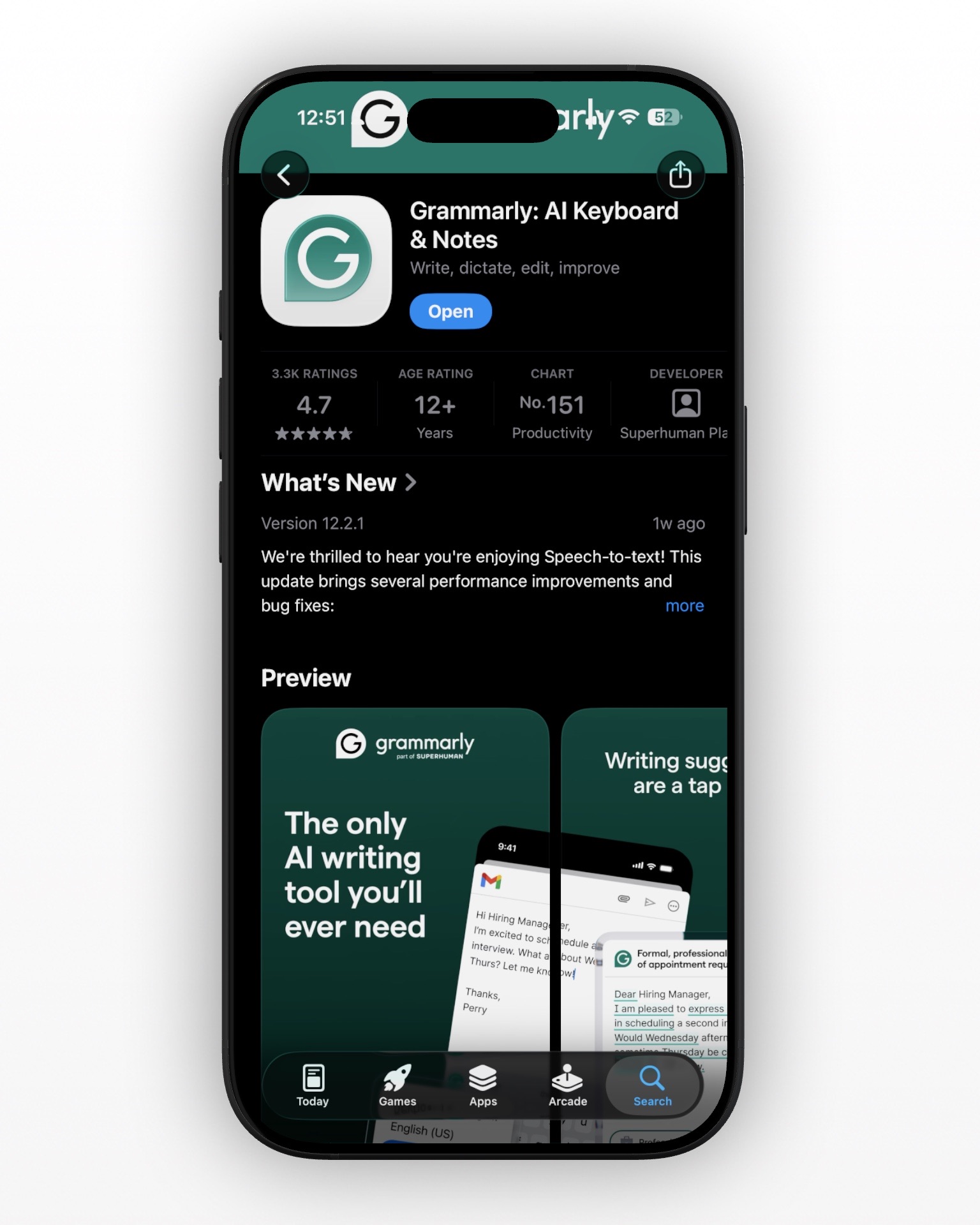
- Choose Grammarly if you want a grammar-first writing assistant with real-time spelling, punctuation, and proofreading suggestions backed by a well-established brand.
- Choose RewriteMate if you care most about mobile workflow and want AI to help you rewrite text without switching apps or copy-pasting into a chatbot.
- Choose Grammarly if you mainly want grammar correction and already use Grammarly across desktop, browser, and mobile.
For many iPhone users, the biggest difference comes down to this:
Grammarly helps you correct your writing. RewriteMate helps you actively transform it.
That distinction matters a lot if you spend your day sending emails, polishing messages, translating replies, or rewriting the same kinds of text over and over.
An AI keyboard that adapts to your writing style.
Create custom prompts and rewrite text your way—inside any app.
RewriteMate vs Grammarly at a Glance
| Feature | RewriteMate | Grammarly Keyboard |
|---|---|---|
| Core focus | AI keyboard for rewriting, paraphrasing, tone changes, translation, and custom commands | Grammar checking, proofreading, AI rewrites, tone and clarity suggestions |
| Works inside iPhone apps | Yes | Yes |
| Grammar correction | Yes | Yes |
| Rewrite/paraphrase tools | Yes | Yes |
| Tone change commands | Yes | Yes |
| Translation workflow | Yes, built into the keyboard experience | Limited compared with RewriteMate’s dedicated translation focus |
| Custom AI commands | Yes | More limited |
| Organize commands into folders | Yes | No major workflow equivalent |
| Multi-model AI options | Yes | Not positioned around user-selectable AI models |
| Best for | Fast mobile rewriting and repeat writing workflows | Grammar-first editing and proofreading |
At a high level, Grammarly is better known for catching mistakes and polishing writing, while RewriteMate is built for rewriting text the way you want it to sound, right where you’re typing.
What RewriteMate Does Best
RewriteMate’s biggest advantage is that it treats the keyboard as a writing workspace, not just a place to catch typos.
Instead of limiting itself to grammar fixes and sentence suggestions, it’s designed to help you reshape text on demand. That makes it especially useful for professionals, founders, students, creators, and non-native English speakers who need more than just proofreading.
1. It’s built for more than grammar fixes
Grammar is only one part of good writing. Most people aren’t just trying to fix commas on iPhone—they’re trying to make a message clearer, shorter, friendlier, more professional, or more persuasive.
That’s where RewriteMate feels more modern than a traditional grammar tool.
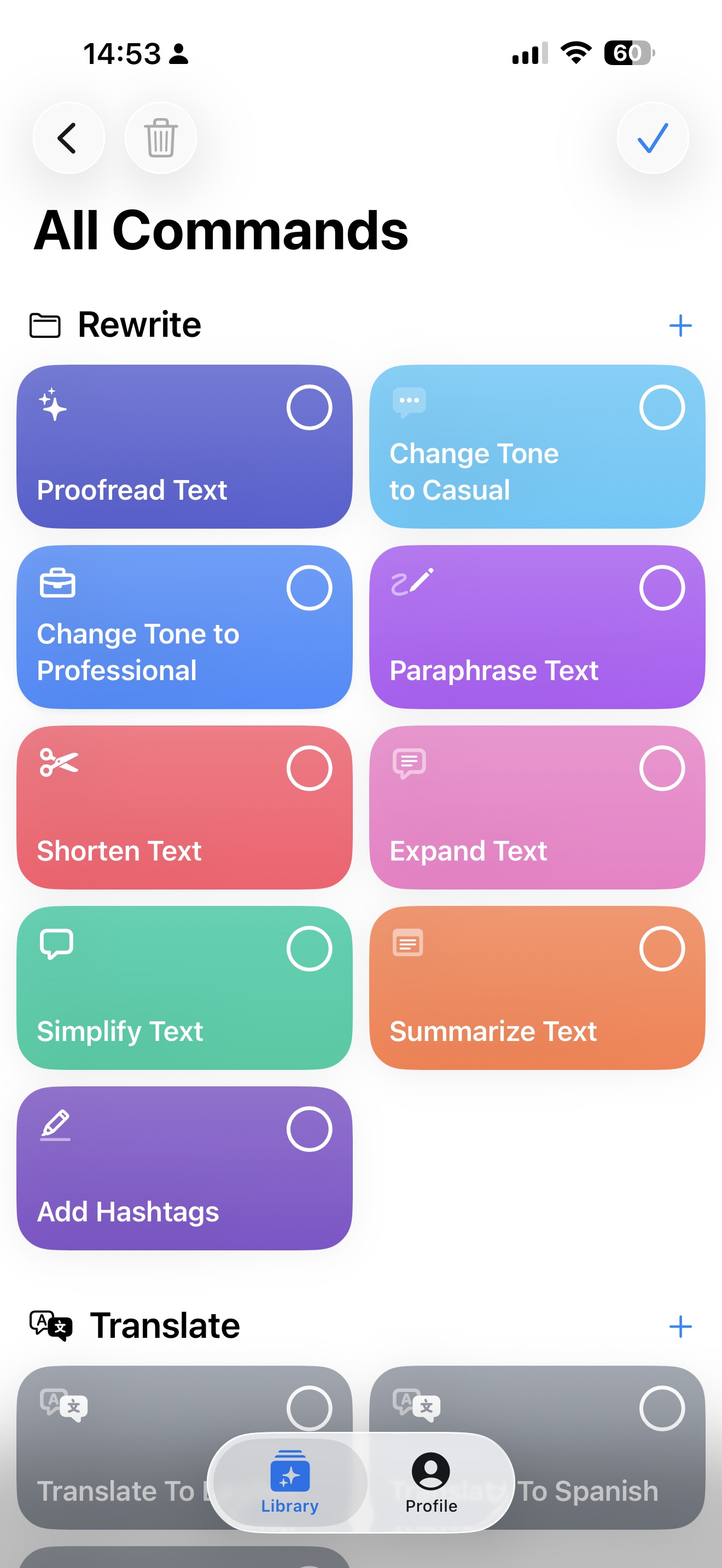
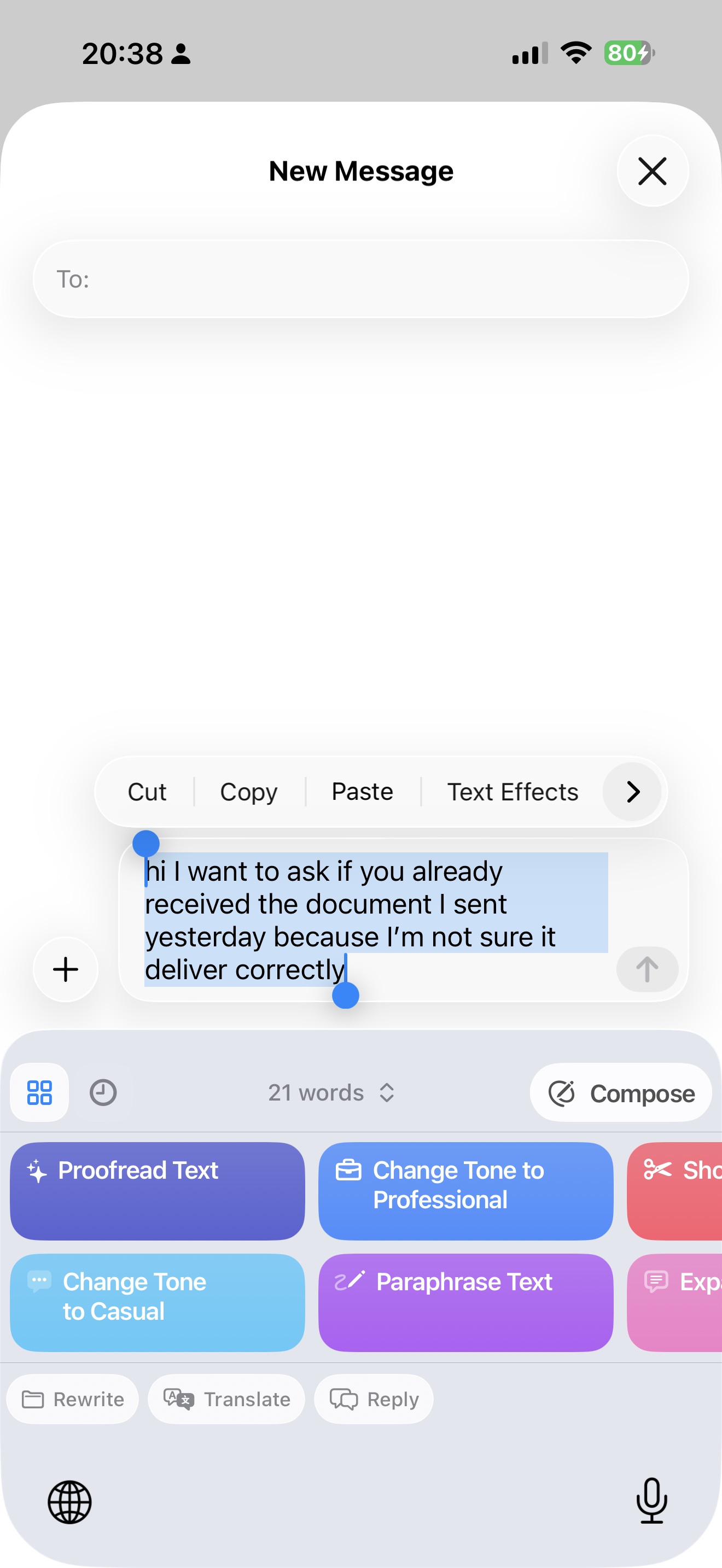
Its workflow is centered around transformations like:
- Rewrite
- Paraphrase
- Proofread
- Shorten
- Expand
- Change tone
- Translate
- Generate or compose with custom prompts
That makes it a better fit for people who use AI to actively improve communication, not just correct mistakes.
2. Custom commands make it much more flexible
One of RewriteMate’s strongest differentiators is its custom command system.
Instead of relying only on a fixed set of suggestions, you can create your own writing commands for recurring tasks. For example, you could build commands like:
- “Make this email sound more confident but still polite”
- “Rewrite this customer reply in a calm support tone”
- “Turn this paragraph into a short LinkedIn post”
- “Translate this to Spanish and keep it natural”
- “Rewrite this note as a concise project update”
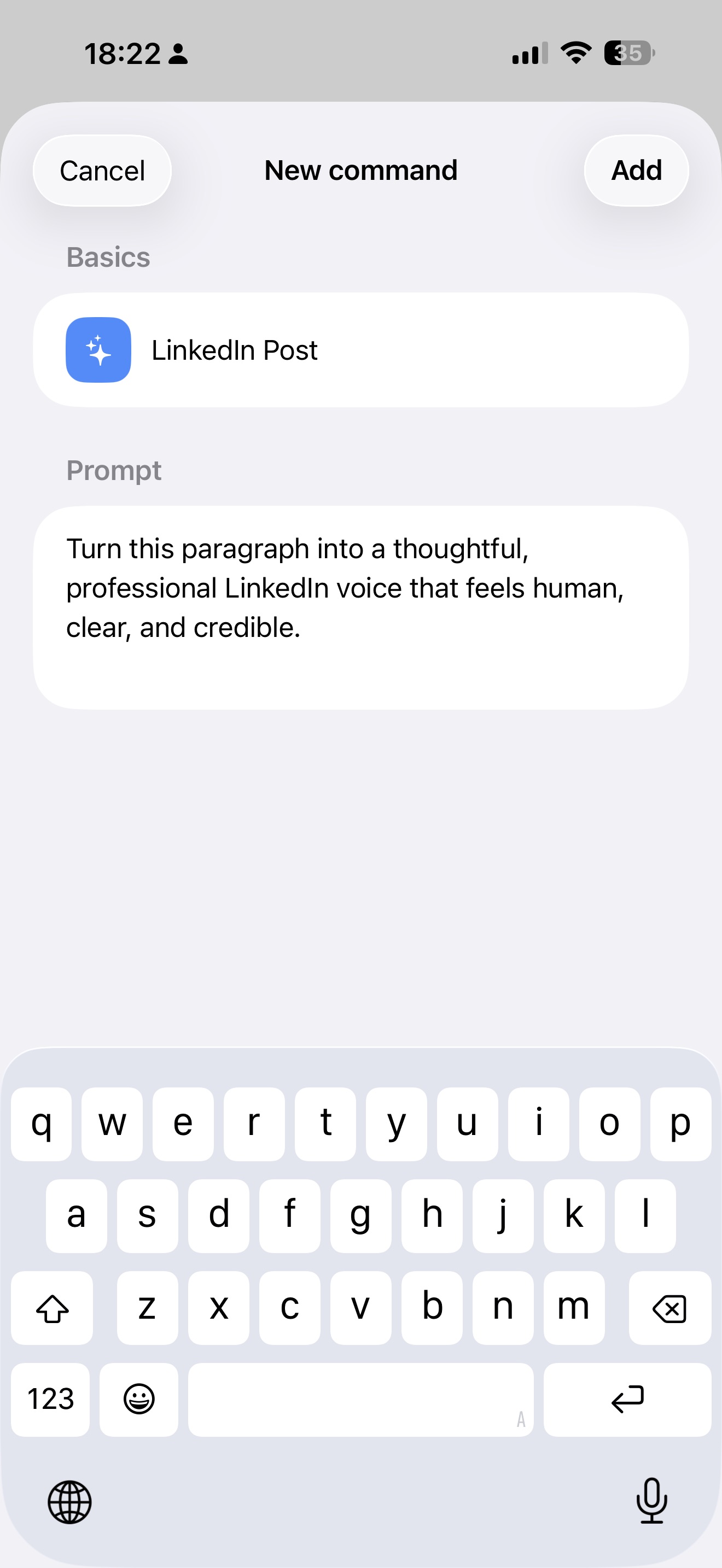
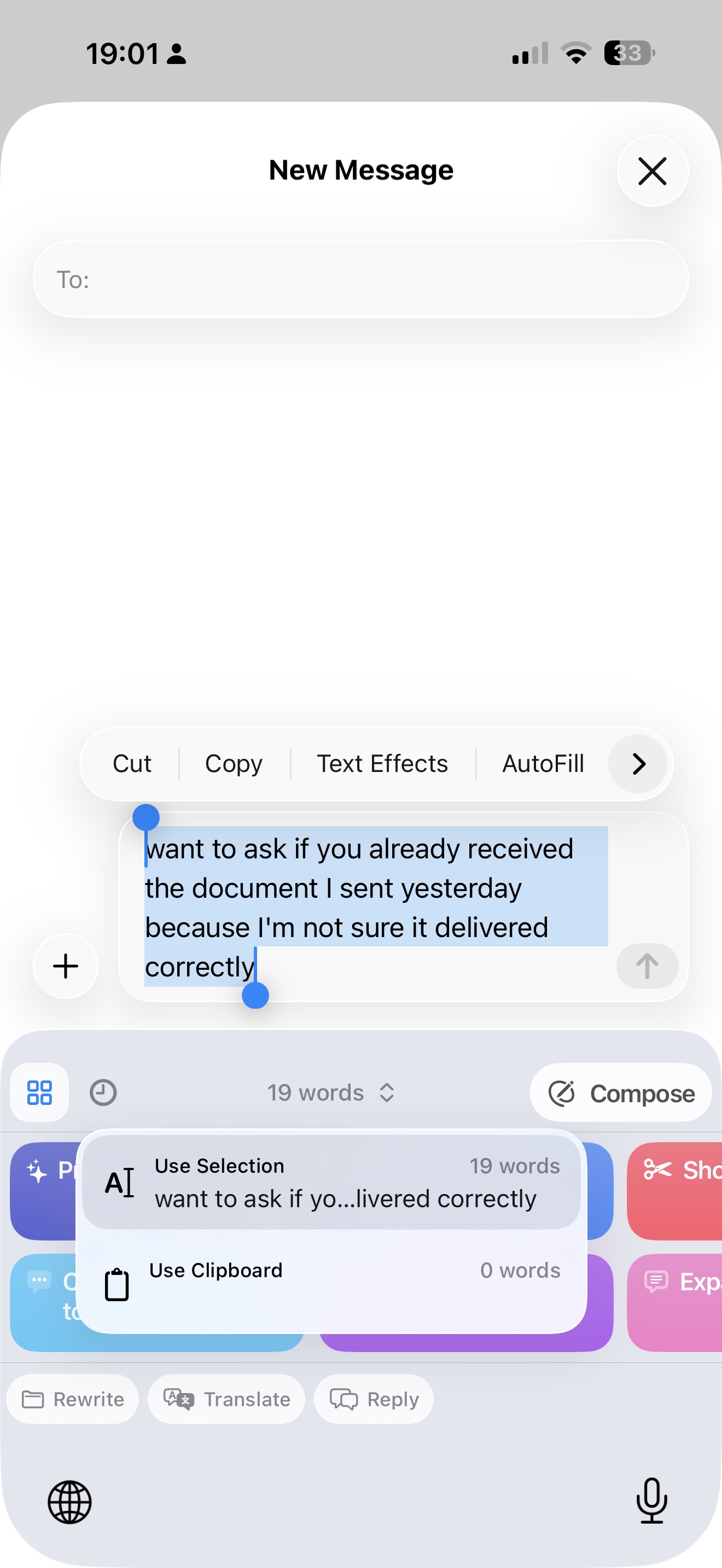
For people who send the same types of messages repeatedly—sales outreach, support replies, founder updates, social captions, internal work messages—this is a major advantage. It turns the keyboard into a reusable writing system instead of a one-size-fits-all editor.
3. It’s better for repeat workflows and mobile productivity
RewriteMate also supports organizing commands into folders, which makes it easier to manage different writing workflows.
You might create one folder for work emails, one for social posts, one for translations, and one for quick replies. That kind of structure matters when you use AI frequently and don’t want to reinvent the same prompts every time you write.
This is one of the reasons RewriteMate feels more like a mobile writing toolkit than a standard grammar keyboard. It’s not just there to underline mistakes—it’s there to help you move faster.
What Grammarly Does Best
Grammarly’s biggest advantage is familiarity. It’s one of the most recognized names in writing assistance, and for many people, it’s the default tool they think of when they want help with grammar, spelling, punctuation, and clarity.
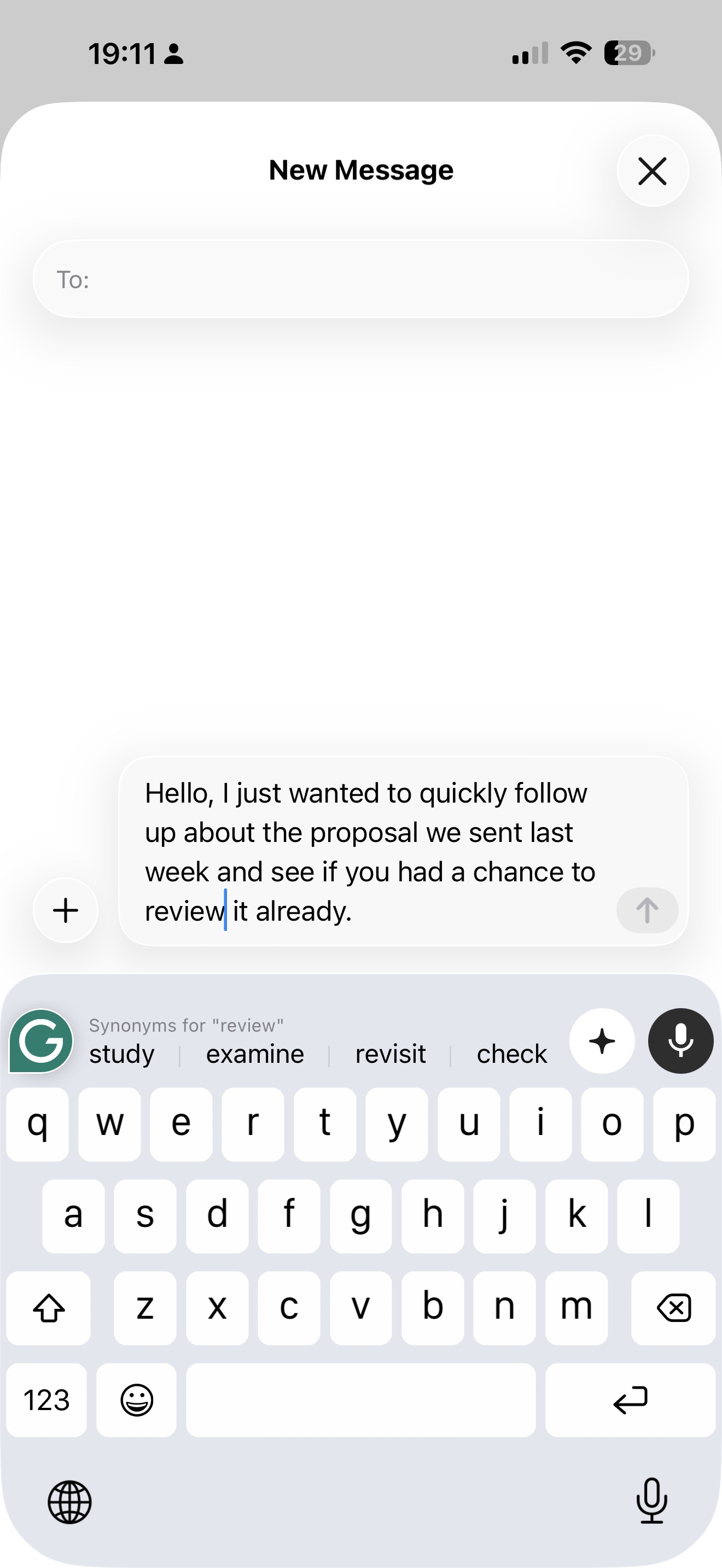
On iPhone, Grammarly combines several functions into one product: the Grammarly Keyboard, the Grammarly iPhone editor, and Safari support for iOS. Its keyboard can provide real-time writing suggestions, autocorrect, AI rewrites, tone detection, and voice dictation cleanup across apps.
1. Grammarly is still a strong grammar-first assistant
If your main goal is to catch spelling mistakes, clean up punctuation, and improve sentence clarity, Grammarly remains a strong option.
Its brand has been built around proofreading and correction, and that shows in the product. Grammarly’s iPhone experience focuses heavily on:
- spelling and grammar corrections
- punctuation fixes
- conciseness suggestions
- clarity improvements
- tone detection
- vocabulary recommendations on premium plans
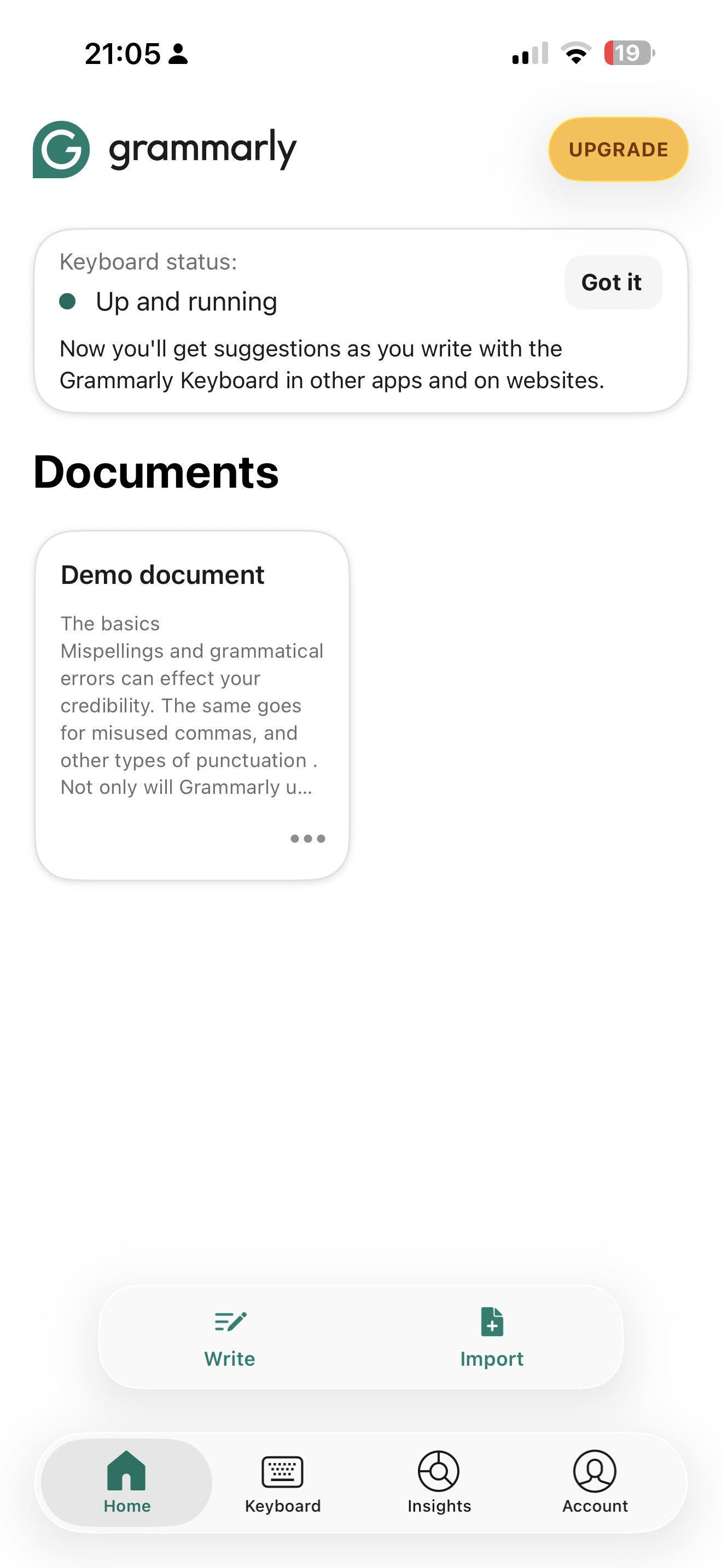
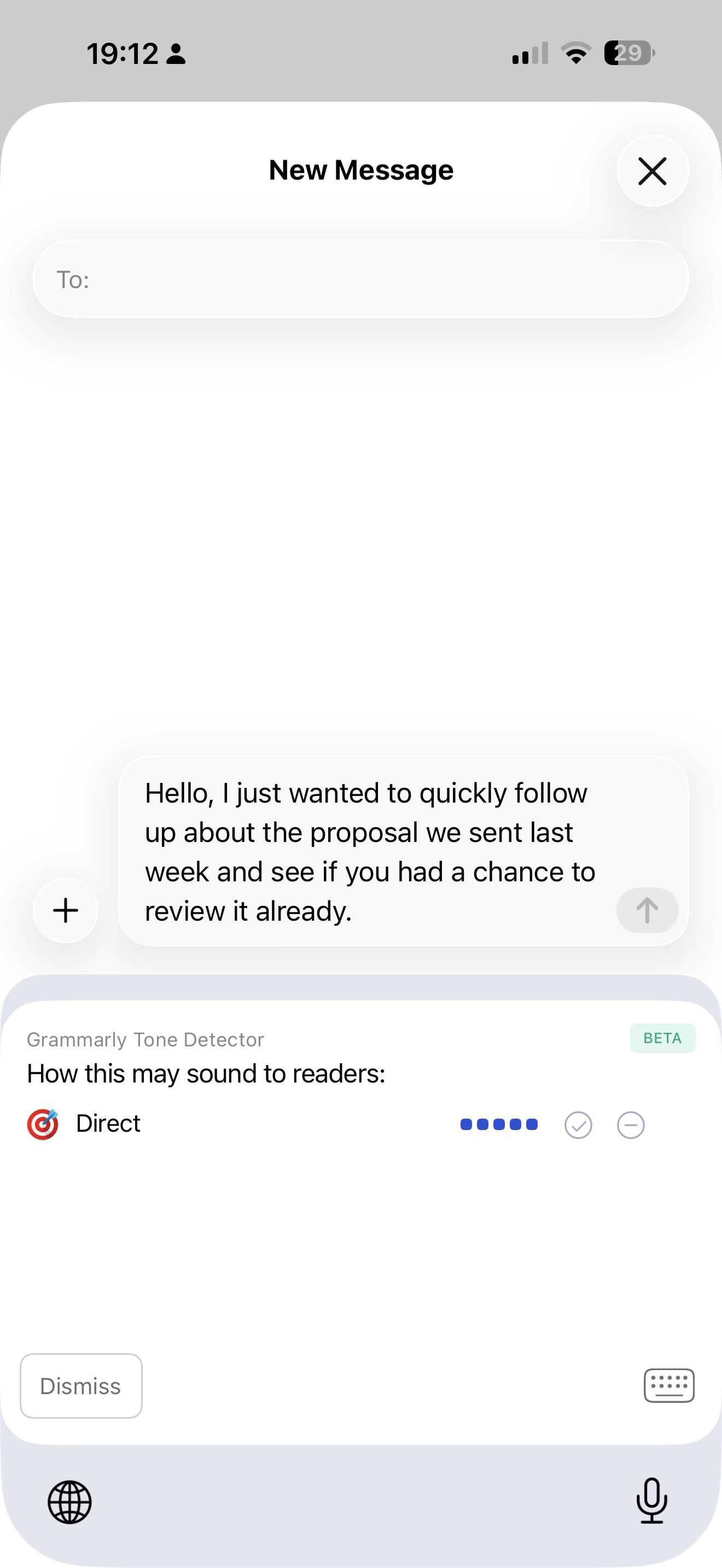
For users who want a familiar grammar assistant rather than a customizable AI writing system, that can be a good fit.
2. It works well for sentence-level polishing
Grammarly is especially useful when you want help refining what you already wrote rather than transforming it into something substantially different.
If you type an email, note, or message and simply want suggestions to make it cleaner and more correct, Grammarly is built for that. It can automatically correct common typos, suggest improvements, and help polish the wording.
That’s different from RewriteMate’s model, which is more centered on intentional rewriting commands. Grammarly can absolutely help rewrite text too, but its product identity is still more rooted in editing and correction than in reusable transformation workflows.
3. It may make more sense if you already use Grammarly everywhere else
Another point in Grammarly’s favor is ecosystem consistency.
If you already pay for Grammarly and use it on desktop, in your browser, in documents, and on mobile, there’s value in staying inside one tool. You get the same account, preferences, dictionary, and writing support across devices.
For some users, that convenience matters more than having the most flexible keyboard workflow.
RewriteMate vs Grammarly: Feature-by-Feature Comparison
Now let’s get into the practical comparison.
1. Rewriting and Paraphrasing
If your main use case is rewriting text on iPhone, RewriteMate is the better tool.
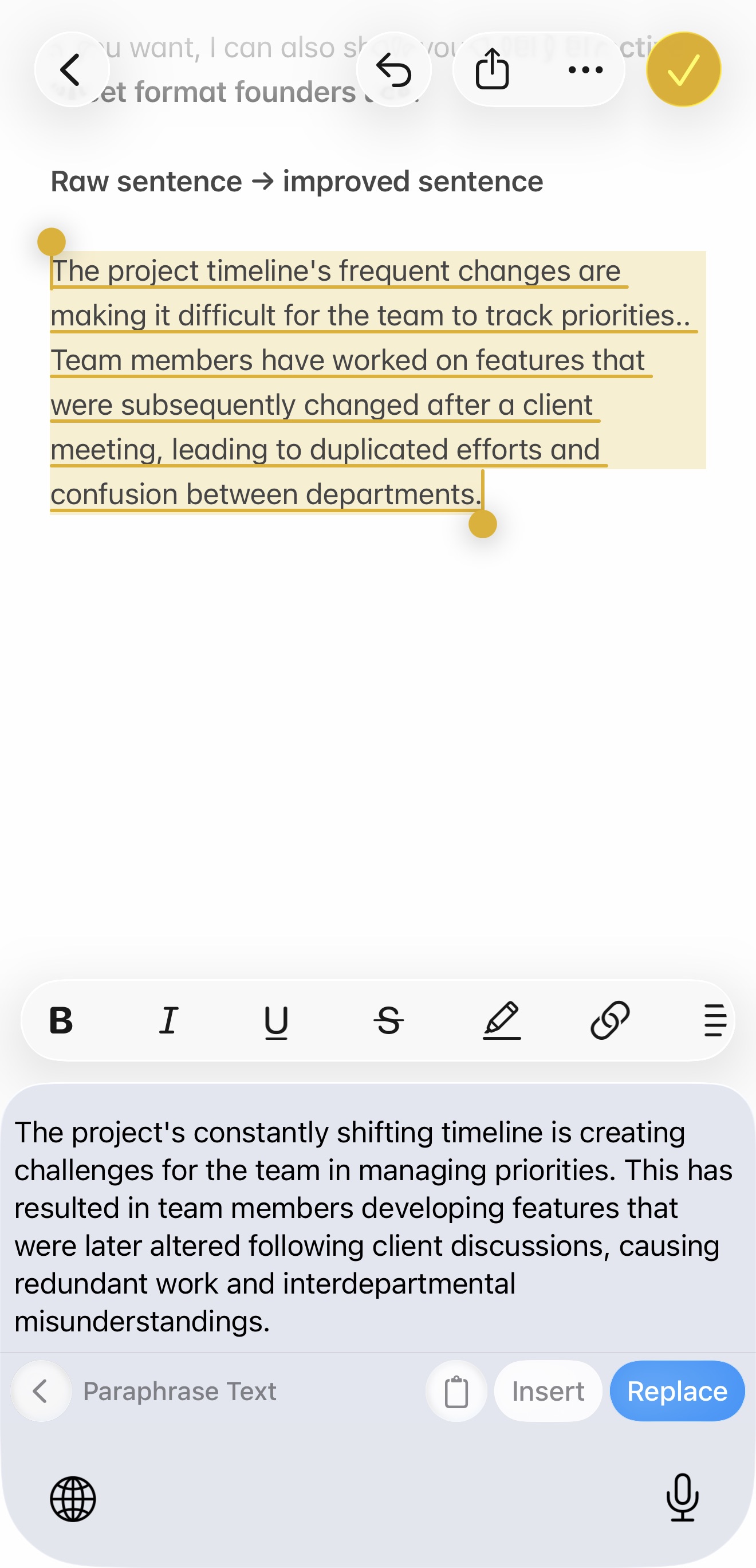
Why? Because rewriting is at the center of the experience. RewriteMate is designed around one-tap commands like paraphrase, shorten, expand, and tone change, all triggered directly from the keyboard. You’re not waiting for passive suggestions—you’re actively telling the tool what to do with the text you selected.
That makes a big difference for real-world mobile writing.
Maybe you drafted a message that sounds too blunt. Maybe your email is too long. Maybe your caption feels repetitive. Maybe you wrote something in rough English and want it to sound more natural before sending it. RewriteMate is built to handle those situations quickly.
Grammarly also offers AI rewrites and can generate alternate versions of a message, but its experience is more tightly connected to grammar suggestions and writing improvement rather than customizable transformation workflows.
2. Grammar Correction and Proofreading
This is the category where Grammarly still has a strong case.
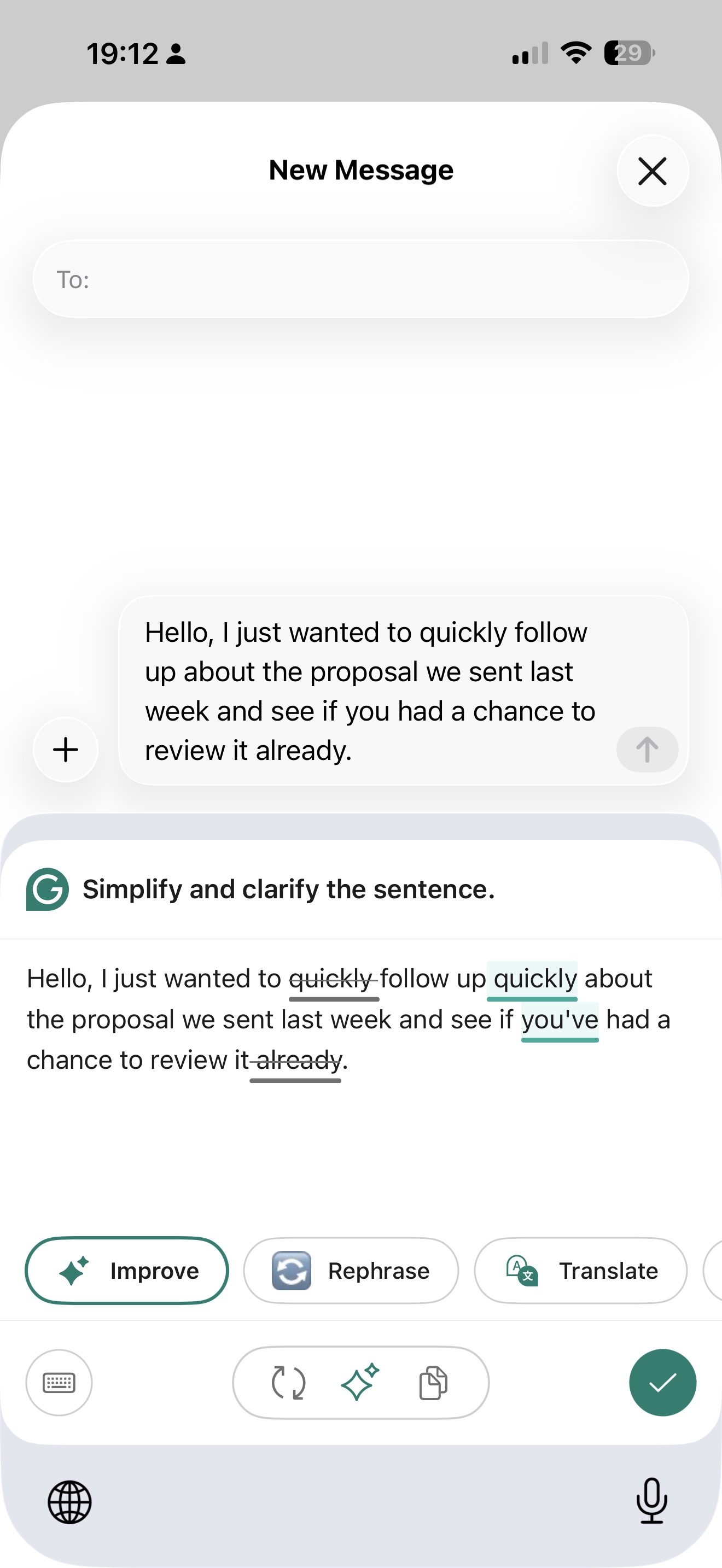
Grammarly’s entire brand is built around grammar correction, spelling, punctuation, and proofreading. On iPhone, it provides real-time suggestions, autocorrect, tone detection, and premium clarity recommendations. If you want a tool that constantly watches for mistakes while you type and nudges you toward cleaner writing, Grammarly is very good at that.
RewriteMate also includes proofreading and grammar improvement, but grammar isn’t its only or even primary identity. It’s part of a broader rewrite workflow.
So the better question here isn’t “Can RewriteMate fix grammar?” It can. The better question is: Do you want a grammar-first keyboard or a rewrite-first keyboard that also handles grammar?
If you mainly want proofreading and error correction, Grammarly has the stronger reputation and the more obvious fit.
If you want grammar correction as one piece of a larger mobile writing workflow, RewriteMate may still be the better choice overall.
3. Tone Changes and Writing Style
This is where RewriteMate pulls ahead again. Modern mobile writing isn’t just about being correct. It’s about sounding right for the moment. The same message might need to be:
- more professional for a client email
- more friendly for a text
- more concise for Slack
- more confident for outreach
- softer for customer support
- more natural for a second-language speaker
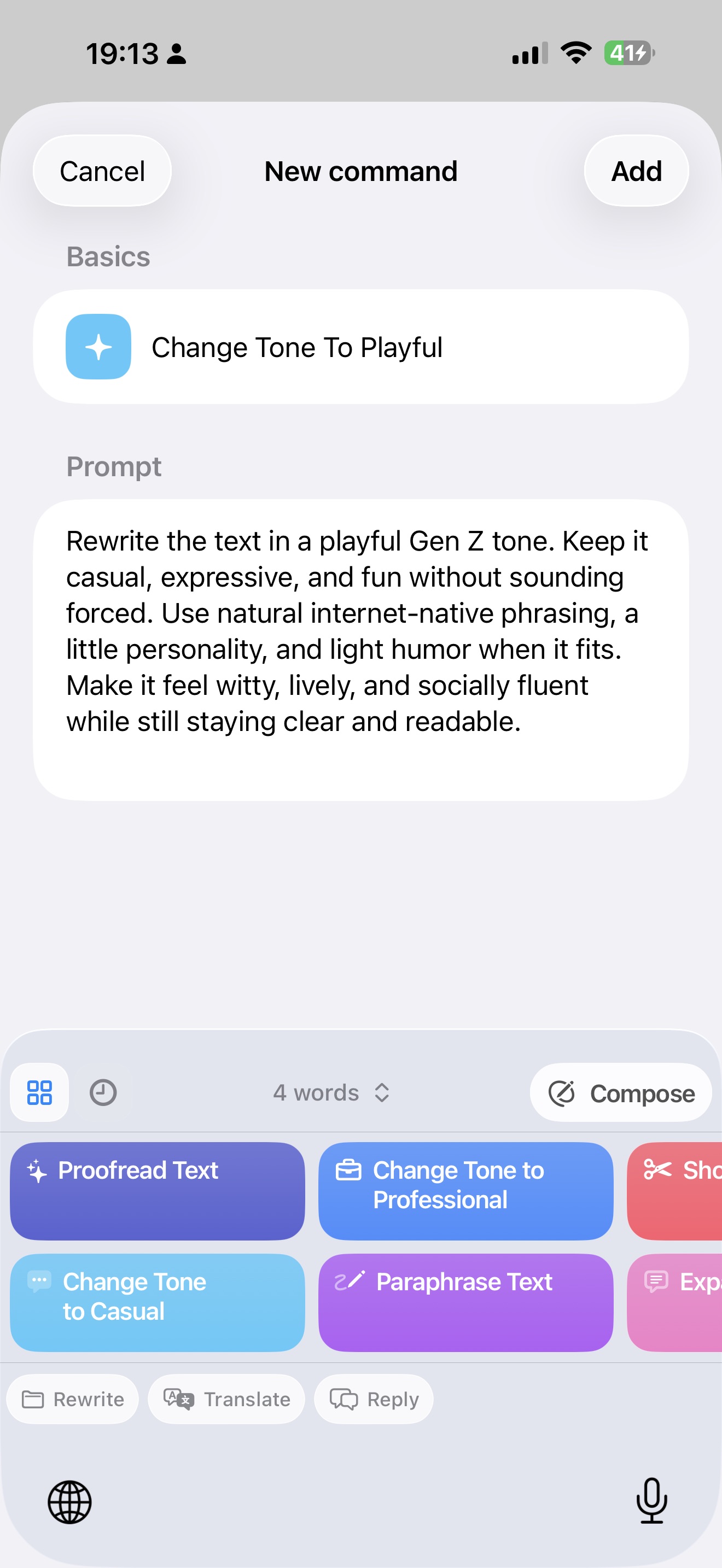
RewriteMate is built around exactly that kind of tone control. Instead of waiting for a suggestion to appear, you can deliberately tell the keyboard what tone or style you want.
That’s much closer to how people actually use AI in 2026: not just to fix grammar, but to adapt communication quickly depending on context.
Grammarly includes tone detection and some tone transformation capabilities, but RewriteMate’s command-based workflow makes tone adjustment feel more central and more flexible.
4. Translation
If translation matters to you at all, RewriteMate is the better fit.
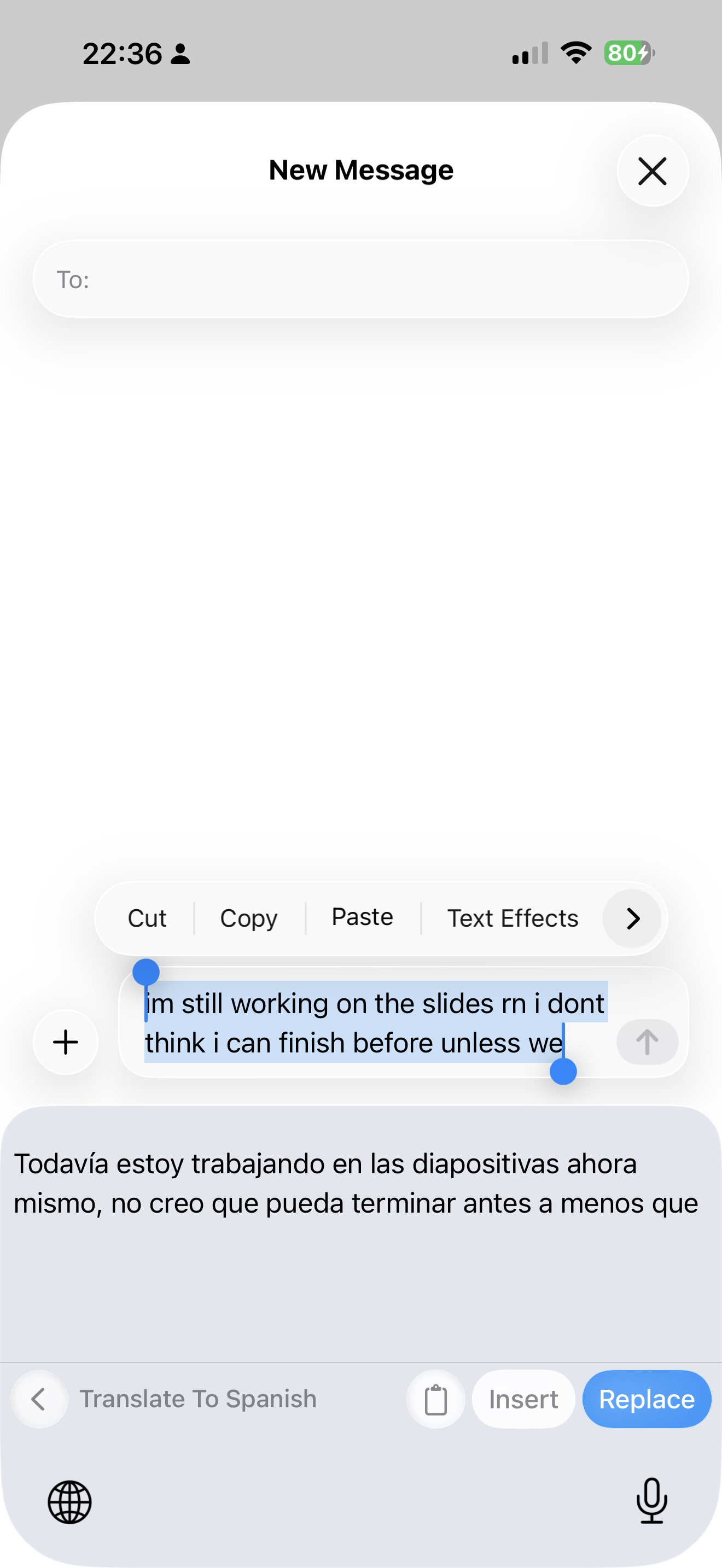
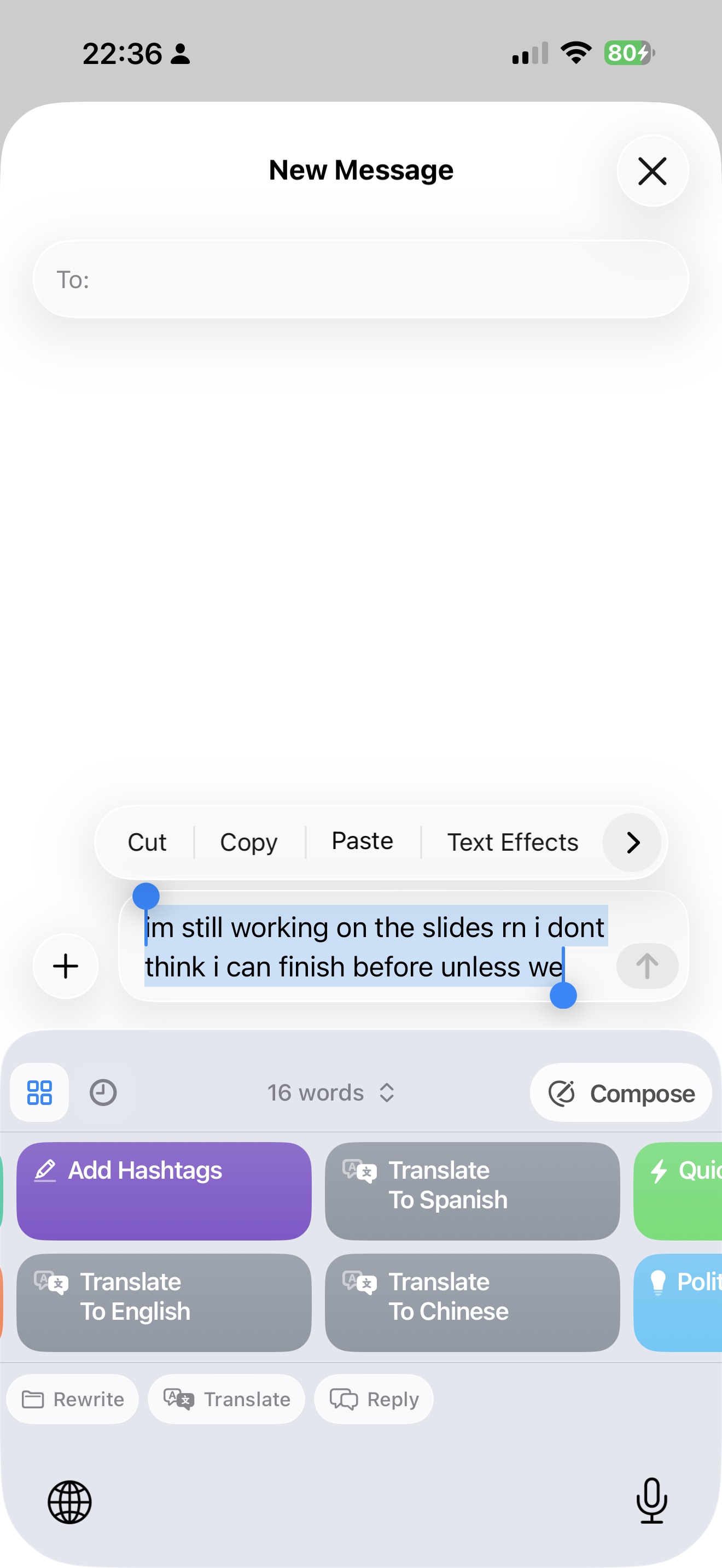
Grammarly has expanded language support and can provide some rewrite and proofreading functionality in supported languages, but it is not primarily positioned as a translation keyboard. RewriteMate, on the other hand, includes instant translation as a core part of its value proposition.
That matters for users who:
- write in English but reply in another language
- translate work messages on the fly
- want to polish translated text before sending it
- regularly switch between languages while typing on iPhone
Being able to translate selected text directly from the keyboard, then refine the tone or wording, is one of the clearest product advantages RewriteMate has over Grammarly.
5. Customization and Reusable Workflows
This is one of the biggest differences between the two tools.
Grammarly gives you a writing assistant with settings, preferences, and personalization options. RewriteMate gives you something closer to a programmable writing workflow.
With RewriteMate, you can create custom commands, name them, style them, organize them, and reuse them whenever you want. That opens up a much wider set of use cases than a standard suggestion-based keyboard.
For example, you could create custom commands for:
- cold outreach
- support replies
- investor updates
- social captions
- follow-up messages
- bilingual replies
- essay refinement
- text simplification
If you only want general grammar suggestions, that level of customization may not matter to you. But if you write repeatedly in the same contexts, it’s hard to overstate how useful it is.
Winner for customization: RewriteMate by a wide margin
6. Mobile Workflow and Speed
This is arguably the most important category in the entire comparison, because the whole point of using an AI keyboard is to reduce friction while writing on your phone.
RewriteMate’s biggest strength is that it feels designed for action. Select text, tap a command, choose the result, and keep moving.
Grammarly’s biggest strength is that it feels designed for guidance. Type as usual, see suggestions, and improve the draft as you go.
Neither approach is inherently wrong. They’re just optimized for different workflows.
If you mostly want to catch mistakes and clean up writing passively while typing, Grammarly’s approach makes sense.
If you frequently stop mid-message and think, “Can you make this shorter, clearer, more professional, or better in another language?” RewriteMate is much more aligned with that behavior.
For mobile-first users who write a lot across many apps, RewriteMate’s workflow is simply faster and more flexible.
Write better everywhere
Rewrite, rephrase, and refine text instantly without switching apps.
7. Pricing and Overall Value
Pricing changes over time, so it’s always worth checking the latest App Store listing before subscribing.
At the time of writing, Grammarly lists the following US in-app purchase options on iPhone:
- $29.99/month
- $59.99/quarter
- $139.99/year
It also offers separate mobile-only plans at:
- $24.99/month
- $83.99/year
RewriteMate is free to download, with premium pricing in the US App Store at:
- $7.99/month
- $49.99/year
From a pure pricing standpoint, RewriteMate is clearly the lower-cost option. But price alone doesn’t tell you much unless you look at what kind of writing help you actually need.
If you mainly want grammar correction and proofreading across desktop, browser, and mobile, Grammarly may still be the easier subscription to justify. If you spend more time writing on your phone and want an AI keyboard that can actively rewrite, change tone, translate, and run reusable custom commands, RewriteMate may offer better value for the way you work.
So the decision isn’t really about which app is cheaper. It’s about whether you need a proofreading tool or a mobile-first AI writing workflow tool.
Grammarly can make sense if:
- you already use Grammarly on desktop and browser
- your main priority is grammar and proofreading
- you want one familiar writing assistant across devices
RewriteMate can make more sense if:
- you want an AI keyboard primarily for rewriting and tone changes
- translation is important to you
- you want reusable custom commands
- you spend a lot of time writing in mobile apps
- you want AI to actively transform text, not just correct it
In other words, Grammarly is easier to justify as a proofreading subscription with a mature cross-device ecosystem, while RewriteMate is easier to justify as a mobile-first AI writing tool focused on rewriting, tone control, and workflow speed.
8. Privacy Considerations
Privacy matters with any keyboard or AI writing tool because you’re often typing messages, emails, notes, and potentially sensitive information.
RewriteMate positions itself as a privacy-first tool where only selected text is processed on demand rather than continuously harvested in the background. That’s a strong message for users who are cautious about sending personal or business writing through AI tools.
Grammarly also emphasizes privacy and states that it does not sell user data, and its iOS tools are designed with privacy in mind.
Still, if you handle sensitive content, the best approach is to review each tool’s latest privacy documentation and think carefully about how you use third-party keyboards in general. The right choice depends not just on the app’s policy, but on your own risk tolerance and workflow.
Who Should Choose RewriteMate?
RewriteMate is the better choice if you identify with any of these situations:
You write a lot of messages and emails on your iPhone
If your day is full of work emails, DMs, Slack-style messages, customer replies, or notes, RewriteMate is easier to justify because it helps you transform text quickly without leaving the app.
You want a Grammarly alternative for iPhone that does more than grammar
If you’ve used Grammarly before and found yourself wishing it were better at rewriting, tone changes, translation, or custom prompts, RewriteMate is likely the better fit.
You’re a non-native English speaker
RewriteMate’s mix of proofreading, rewriting, tone adjustment, and translation makes it especially helpful for people who want to write more confidently in English while still being able to switch languages when needed.
You want reusable AI workflows, not just suggestions
Custom commands are one of RewriteMate’s best features. If you send similar types of writing often, this alone can make the app more useful than Grammarly.
You care about mobile-first writing productivity
RewriteMate feels built around the reality that people do serious communication on their phones now—not just casual texting. If you want AI that fits into that reality, it’s a very strong option.
Who Should Choose Grammarly?
Grammarly is still the better fit for some users.
You mainly want grammar correction and proofreading
If your top priority is catching mistakes and improving sentence clarity, Grammarly remains a strong option.
You already use Grammarly on desktop and web
If you’re already paying for Grammarly and using it across devices, staying in one ecosystem may be simpler than adding another writing tool.
You prefer a familiar, grammar-first experience
Some users don’t want to build custom commands or think in prompts. They just want a keyboard that catches errors and suggests improvements as they type. Grammarly is built for that.
Final Verdict: RewriteMate vs Grammarly Keyboard
Both RewriteMate and Grammarly can improve your writing on iPhone, but they’re built for different kinds of users.
If your main goal is proofreading, spelling correction, and grammar-first writing help, Grammarly is still a good choice. It’s familiar, polished, and especially useful if you already rely on Grammarly across desktop and mobile.
But if your goal is mobile-first writing improvement—rewriting messages faster, changing tone on demand, translating text, paraphrasing awkward sentences, and creating reusable AI commands inside any app—RewriteMate is the better tool.
That’s the core difference.
Grammarly helps you clean up what you wrote.
RewriteMate helps you reshape it into what you actually meant to say.
And for a lot of iPhone users in 2026, that’s the more valuable capability.
If you spend your day writing emails, messages, notes, outreach, social posts, or bilingual replies on mobile, RewriteMate is the stronger choice because it’s built around the way people actually write now: quickly, across many apps, with constant pressure to sound clear, polished, and natural.
So if you’re looking for the best Grammarly alternative for iPhone, or the best AI keyboard for rewriting text without copy-pasting between apps, RewriteMate is the one to beat.
The short answer: if you mainly want grammar-first suggestions and already live in the Grammarly ecosystem, Grammarly is still a solid option. But if you want a faster, more flexible AI keyboard for rewriting text, changing tone, translating, and creating reusable writing shortcuts on iPhone, RewriteMate is the stronger fit.
Frequently Asked Questions
Is RewriteMate better than Grammarly on iPhone?
It depends on what you need. RewriteMate is better if you want a mobile AI keyboard for rewriting, paraphrasing, tone changes, translation, and custom commands inside any app. Grammarly is better if you mainly want grammar correction and proofreading suggestions.
What is the best Grammarly alternative for iPhone?
RewriteMate is one of the strongest Grammarly alternatives for iPhone if your focus is rewriting text, changing tone, translating messages, and improving writing without switching between apps.
Can RewriteMate fix grammar and rewrite text?
Yes. RewriteMate can proofread, rewrite, paraphrase, shorten, expand, and adjust tone directly from the keyboard, making it useful for both grammar fixes and full text transformations.
Does RewriteMate work inside apps like Messages, Mail, and Notes?
Yes. RewriteMate is designed to work directly inside text fields across iPhone apps so you can improve writing without leaving the app you’re using.
Can Grammarly translate text on iPhone?
Grammarly offers multilingual support and rewrite features in supported languages, but it is not primarily designed as a translation-first keyboard. If translation is one of your main use cases, RewriteMate is likely the better fit.
Which AI keyboard is better for professional emails on iPhone?
RewriteMate is a strong choice for professional emails because it can quickly change tone, shorten long drafts, refine wording, and help you sound more polished before sending.
Is RewriteMate good for non-native English speakers?
Yes. RewriteMate is especially useful for non-native English speakers because it combines grammar improvement, tone refinement, paraphrasing, and translation in one keyboard workflow.
Can I create custom AI writing commands in RewriteMate?
Yes. That’s one of RewriteMate’s standout features. You can create custom commands for recurring writing tasks and reuse them directly from the keyboard.
Related articles
Keep reading

RewriteMate vs Grammarly Keyboard: Which Is Better for Mobile Writing?
Compare RewriteMate vs Grammarly Keyboard to see which iPhone writing assistant fits your workflow. Learn the differences in AI rewriting, grammar checking, customization, pricing, and everyday mobile writing.

Best Grammar Checker Keyboard for iPhone (2026 Guide)
Compare the best grammar checker keyboards for iPhone. Discover AI keyboards that proofread, rewrite, and improve your writing in every app—not just your browser.

QuillBot vs RewriteMate for iPhone: Which AI Keyboard Fits Your Writing?
Compare QuillBot and RewriteMate on iPhone for paraphrasing, grammar, tone changes, translation, custom workflows, and everyday writing without app switching.

Felix Tran
RewriteMate Dev & Editorial Lead
Write about everyday workflows, systems that help ideas move faster, from first draft to finished work.