August 6, 2026
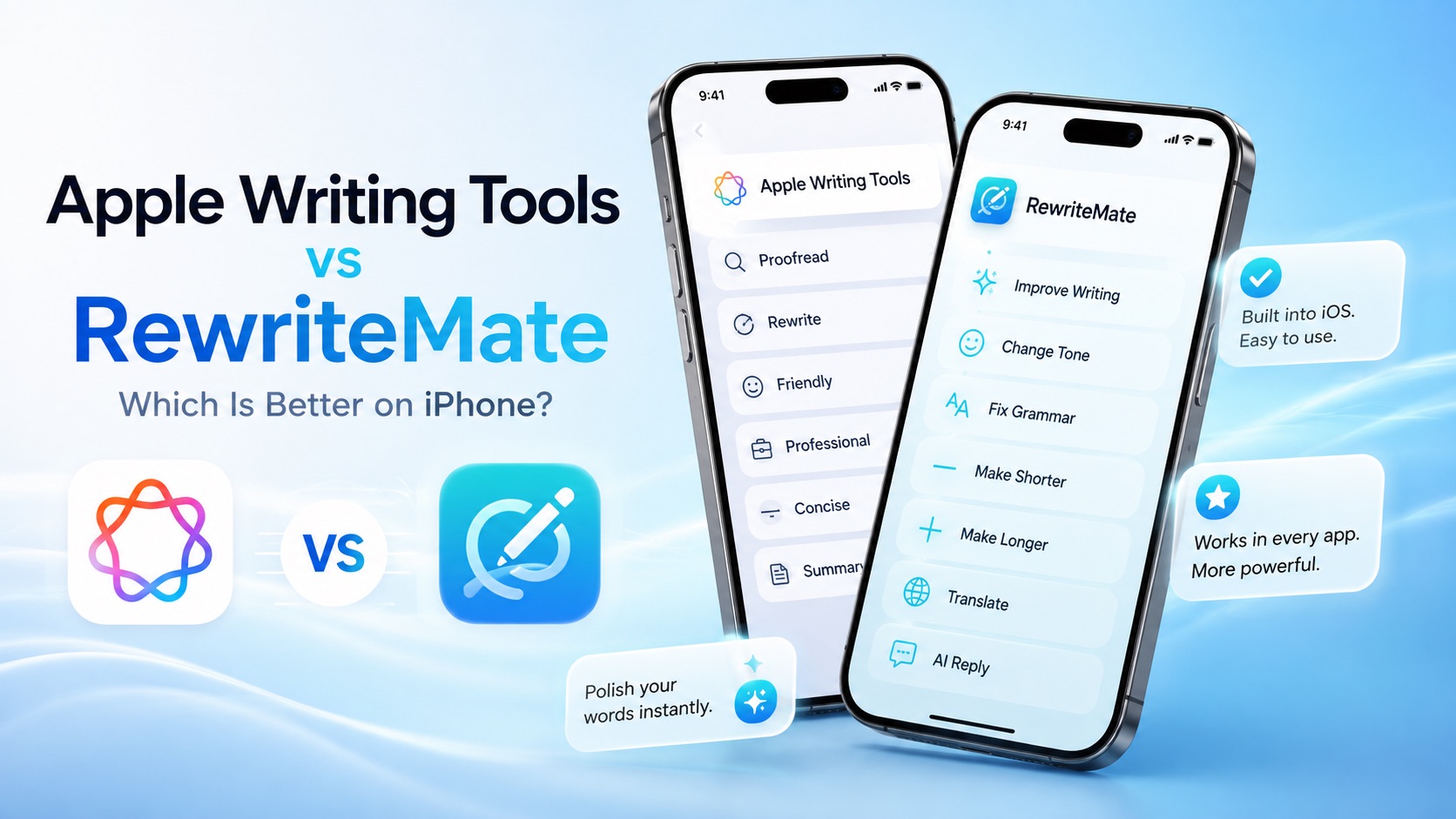
Apple Writing Tools vs RewriteMate: Which Is Better on iPhone?
Apple Intelligence has changed how millions of iPhone users write. With Apple Writing Tools, you can proofread, rewrite, summarize, and adjust the tone of text without leaving your current app.
For many people, that's enough.
But if you write dozens of emails, messages, social posts, or work documents every day, you may wonder whether a dedicated AI keyboard like RewriteMate offers a better experience.
The answer depends on how you write.
Apple Writing Tools focuses on providing a built-in writing assistant that integrates seamlessly into iOS. RewriteMate is designed as an AI keyboard that stays with you wherever you type, offering deeper customization and faster workflows.
In this guide, we'll compare Apple Writing Tools and RewriteMate across AI features, keyboard experience, app compatibility, customization, privacy, and real-world productivity to help you choose the right tool for your workflow.
Apple Writing Tools vs RewriteMate at a Glance
| Feature | Apple Writing Tools | RewriteMate |
|---|---|---|
| Grammar correction | ✅ | ✅ |
| Rewrite text | ✅ | ✅ |
| Change tone | ✅ | ✅ |
| Summarize | ✅ | ✅ |
| Keyboard integration | Limited | ✅ |
| Custom AI commands | ❌ | ✅ |
| Translation | Limited | ✅ |
| Works across supported apps | Limited | ✅ |
| Personalized workflows | ❌ | ✅ |
| Best for | Casual users | Frequent mobile writers |
What Are Apple Writing Tools?
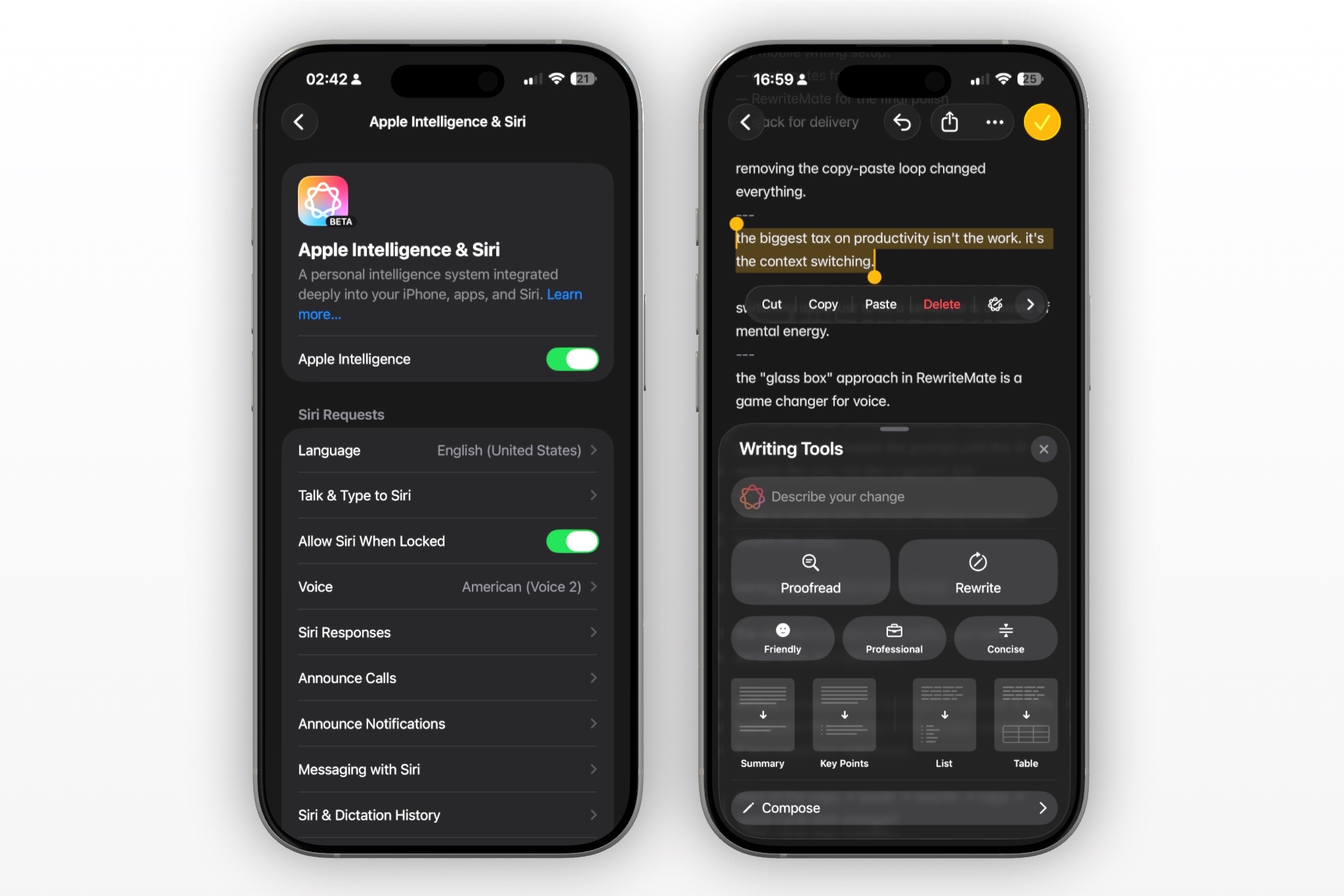
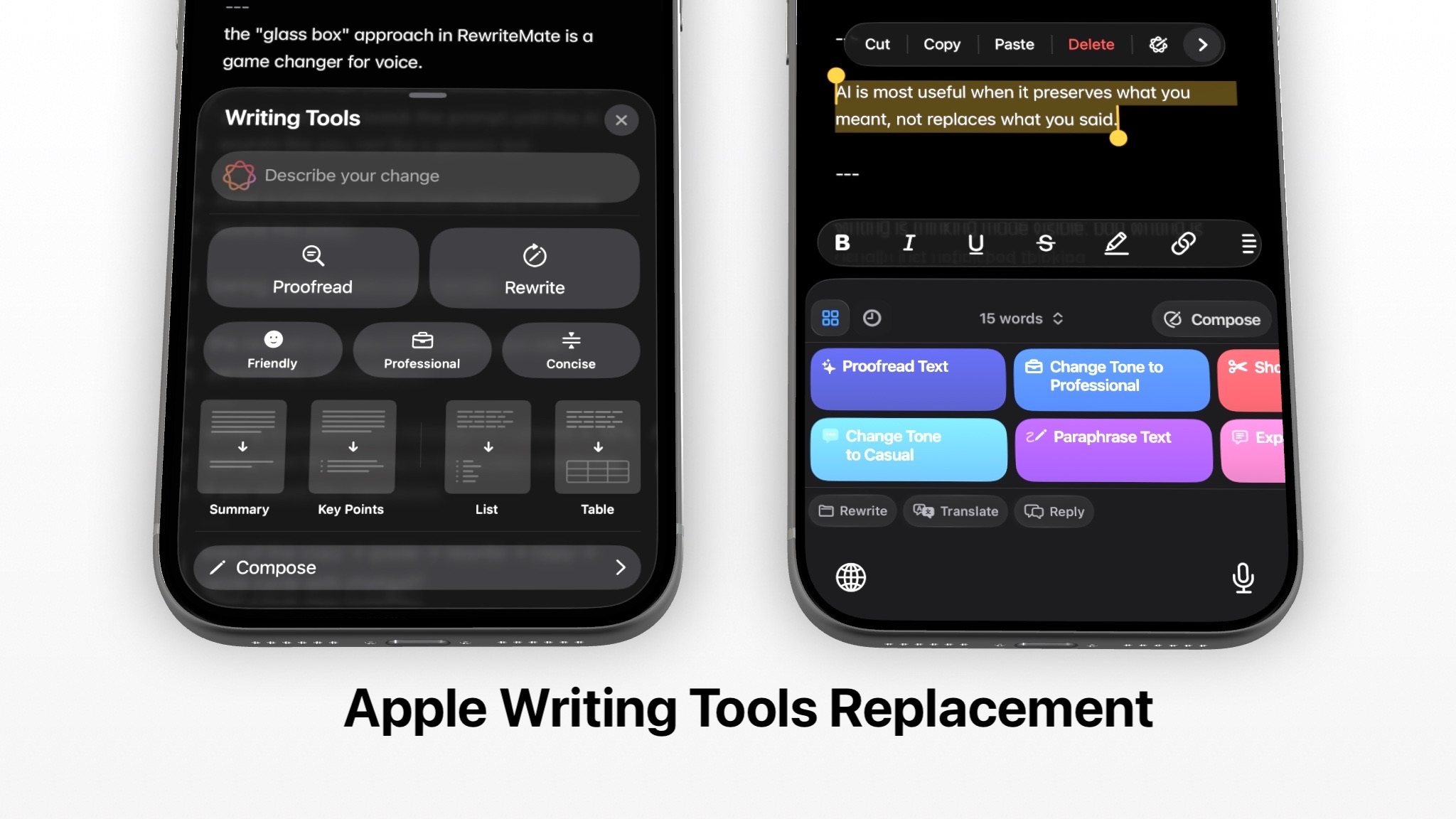
Apple Writing Tools are part of Apple Intelligence, Apple's personal intelligence system available on supported iPhone, iPad, and Mac devices.
Rather than replacing your keyboard, Writing Tools appear when you select text inside compatible apps.
You can quickly:
- Proofread text
- Rewrite sentences
- Make writing friendlier
- Make writing more professional
- Make text more concise
- Summarize long passages
For many users, these built-in tools eliminate the need to copy and paste text into separate AI apps.
Because they're integrated into iOS, the experience feels familiar and requires almost no learning curve.
If your writing needs are occasional—replying to emails, editing notes, or polishing messages—Apple Writing Tools provide a convenient solution without installing additional software.
What Is RewriteMate?
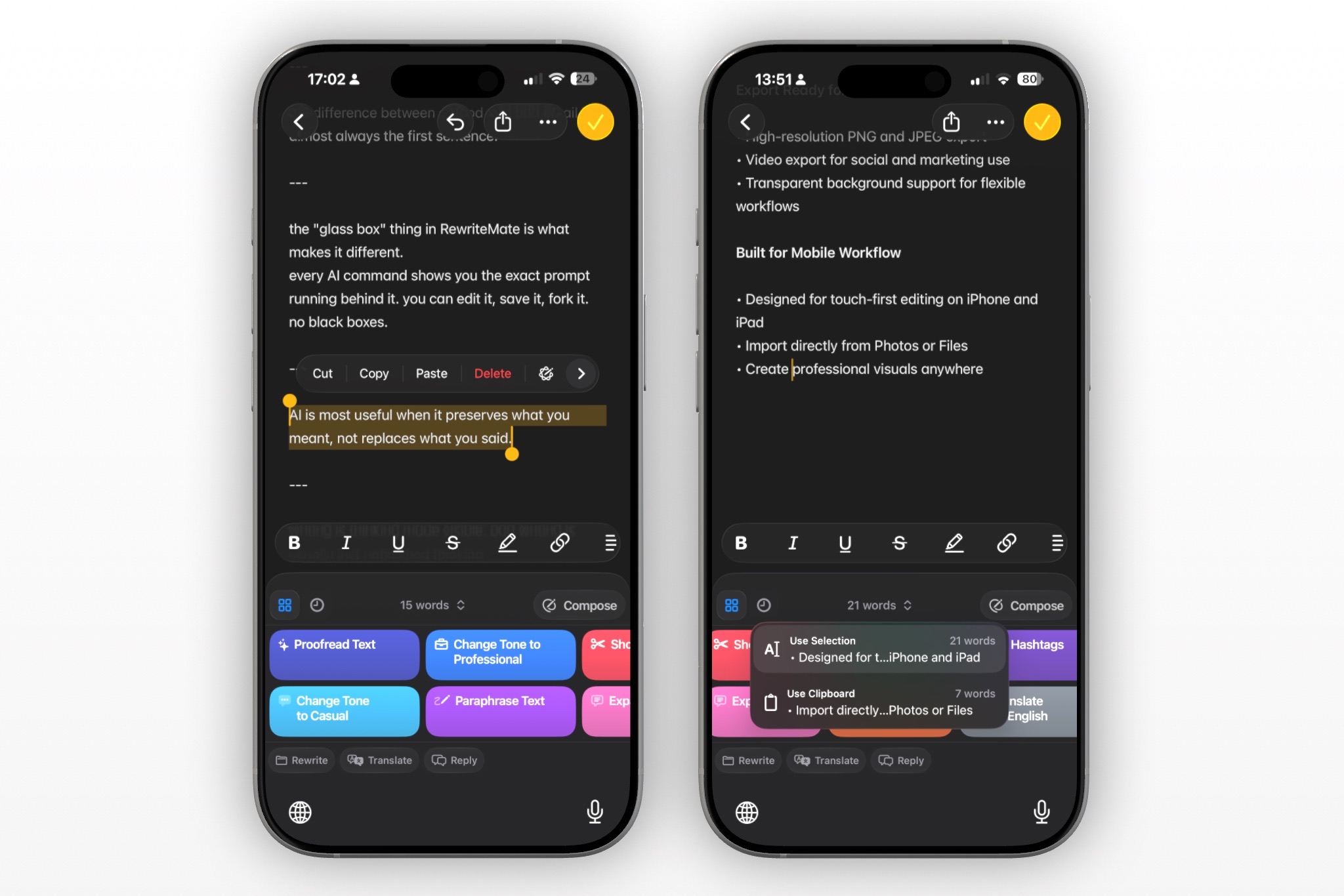
RewriteMate is an AI-powered keyboard for iPhone that helps you improve your writing wherever you type.
Instead of selecting text after you've finished writing, RewriteMate integrates AI directly into the keyboard experience.
That means you can:
- Rewrite messages instantly
- Fix grammar
- Change tone
- Translate text
- Shorten paragraphs
- Expand ideas
- Improve clarity
- Create reusable AI commands
Because RewriteMate functions as your keyboard, it works across most apps where keyboard input is supported.
Whether you're replying to clients in Gmail, chatting in Slack, posting on LinkedIn, or sending WhatsApp messages, RewriteMate keeps AI assistance only a tap away.
Related: Homepage
Feature-by-Feature Comparison
AI Writing Assistance
Both Apple Writing Tools and RewriteMate help improve your writing, but they approach the task differently.
Apple Writing Tools
Apple focuses on making existing text better.
You write first.
Then select the text.
Then choose an action such as:
- Rewrite
- Friendly
- Professional
- Concise
- Proofread
- Summarize
The experience feels polished and integrates naturally into supported apps.
RewriteMate
RewriteMate focuses on giving you more ways to transform your writing.
Instead of only offering preset options, it lets you quickly:
- Rewrite professionally
- Rewrite casually
- Make messages more persuasive
- Simplify explanations
- Improve readability
- Adjust confidence
- Add empathy
- Expand or shorten content
- Use your own saved AI prompts
This flexibility is particularly valuable for users who communicate with different audiences throughout the day.
Keyboard Experience
One of the biggest differences is how you interact with AI.
Apple Writing Tools
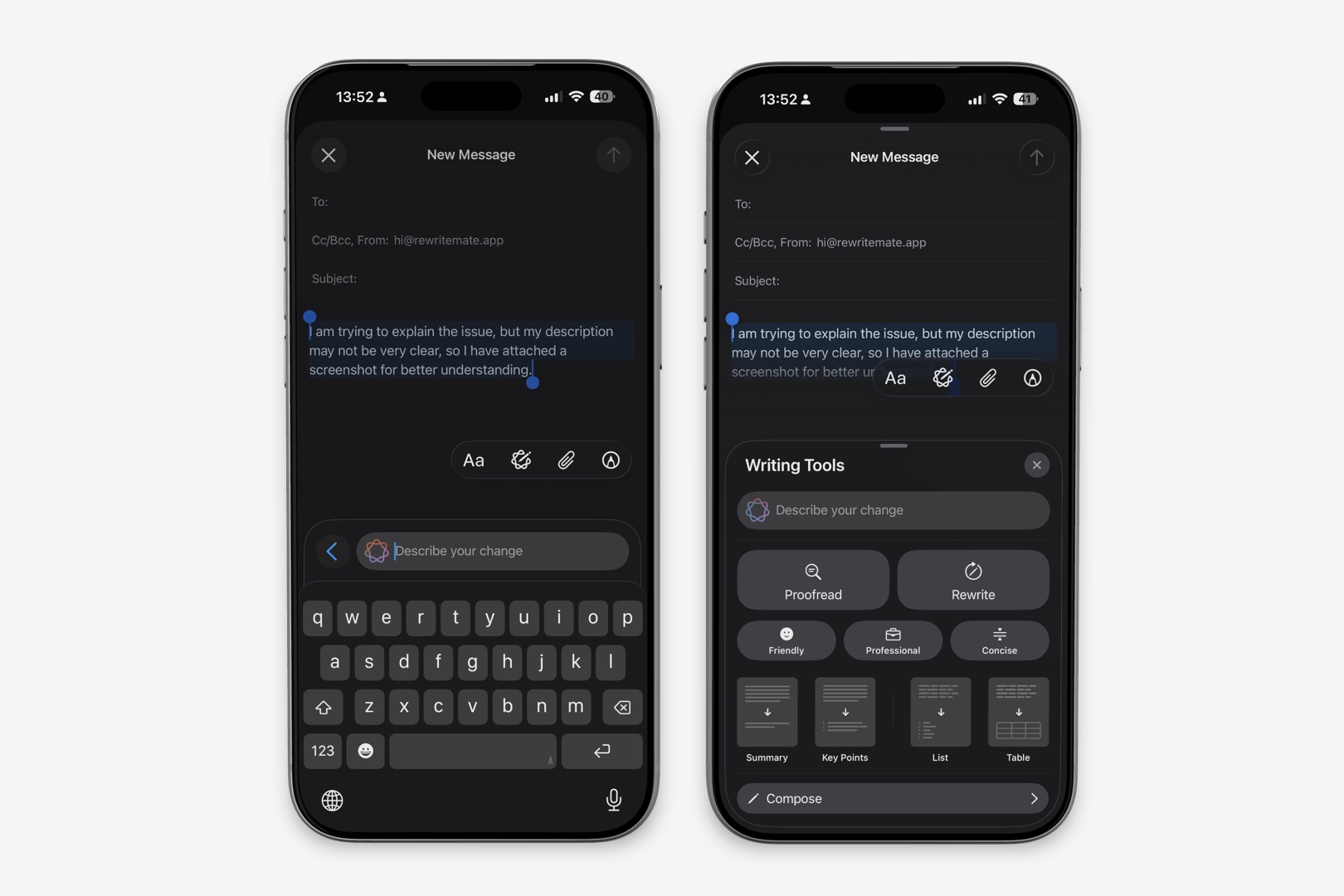
Apple Writing Tools are not a keyboard.
Instead, they appear after selecting text.
Typical workflow:
- Write your message.
- Highlight the text.
- Open Writing Tools.
- Choose an option.
- Replace the original text.
This works well for occasional edits but adds a few extra steps when you frequently rewrite messages.
RewriteMate
RewriteMate integrates AI directly into your keyboard.
Instead of leaving your typing flow, you simply tap the desired action while composing your message.
For users who spend hours every day writing on their phones, this keyboard-first approach can feel significantly faster.
App Compatibility
Compatibility matters because most people switch between several apps throughout the day.
Apple Writing Tools
Writing Tools are available in supported apps on compatible Apple devices.
The exact experience can vary depending on the app and whether it supports Apple's writing features.
RewriteMate
Because RewriteMate functions as an AI keyboard, it works in most places where the iPhone keyboard appears.
Common examples include:
- Messages
- Gmail
- Outlook
- Slack
- Telegram
- Notes
- X
For users who constantly move between communication apps, this consistency can make AI assistance feel more accessible.
Grammar Correction
Grammar checking is an important feature regardless of which tool you choose.
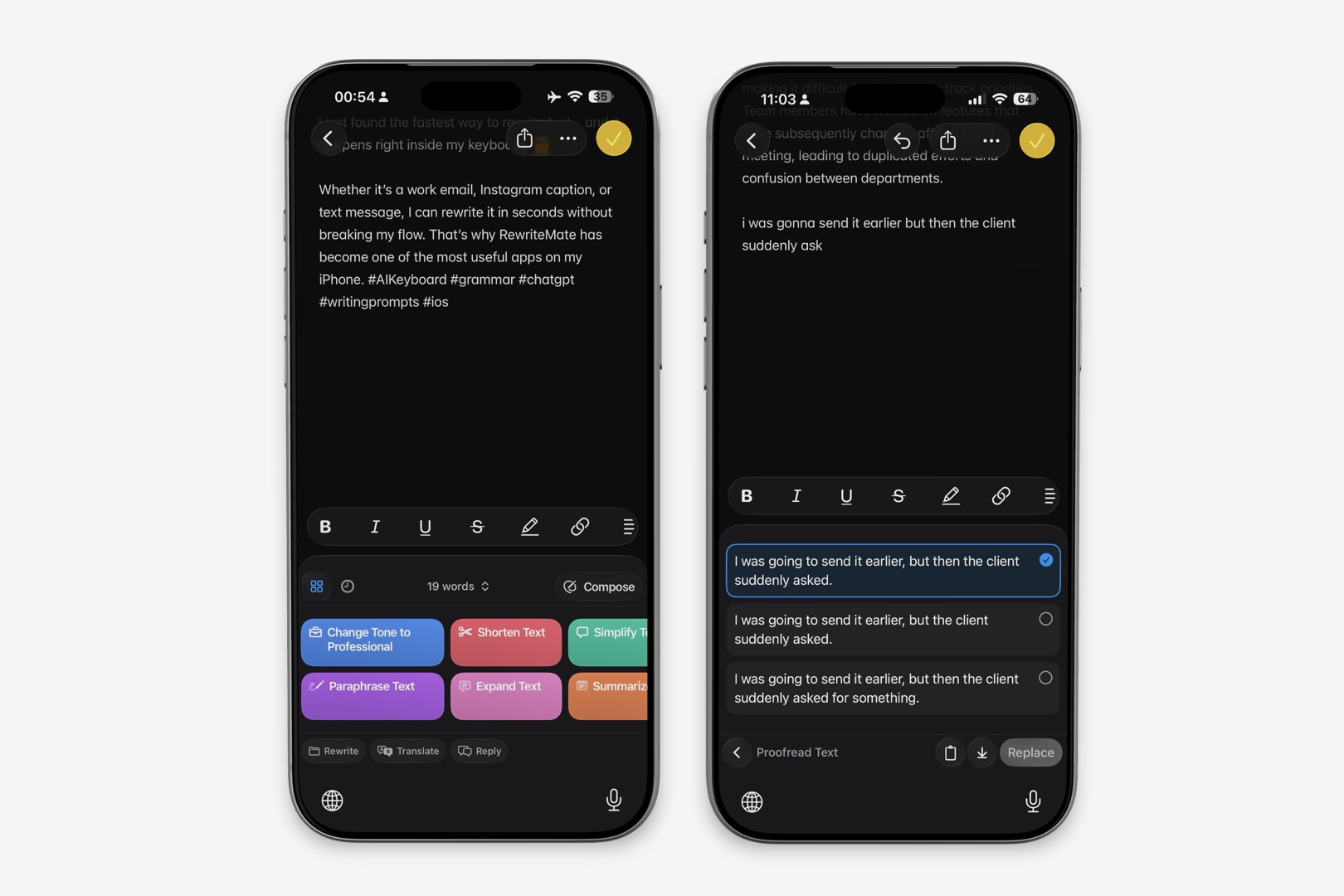
Apple Writing Tools include proofreading that identifies spelling mistakes, grammar issues, and awkward phrasing.
RewriteMate also provides grammar correction, but pairs it with broader AI rewriting capabilities.
Custom AI Commands
This is where RewriteMate separates itself from Apple's built-in solution.
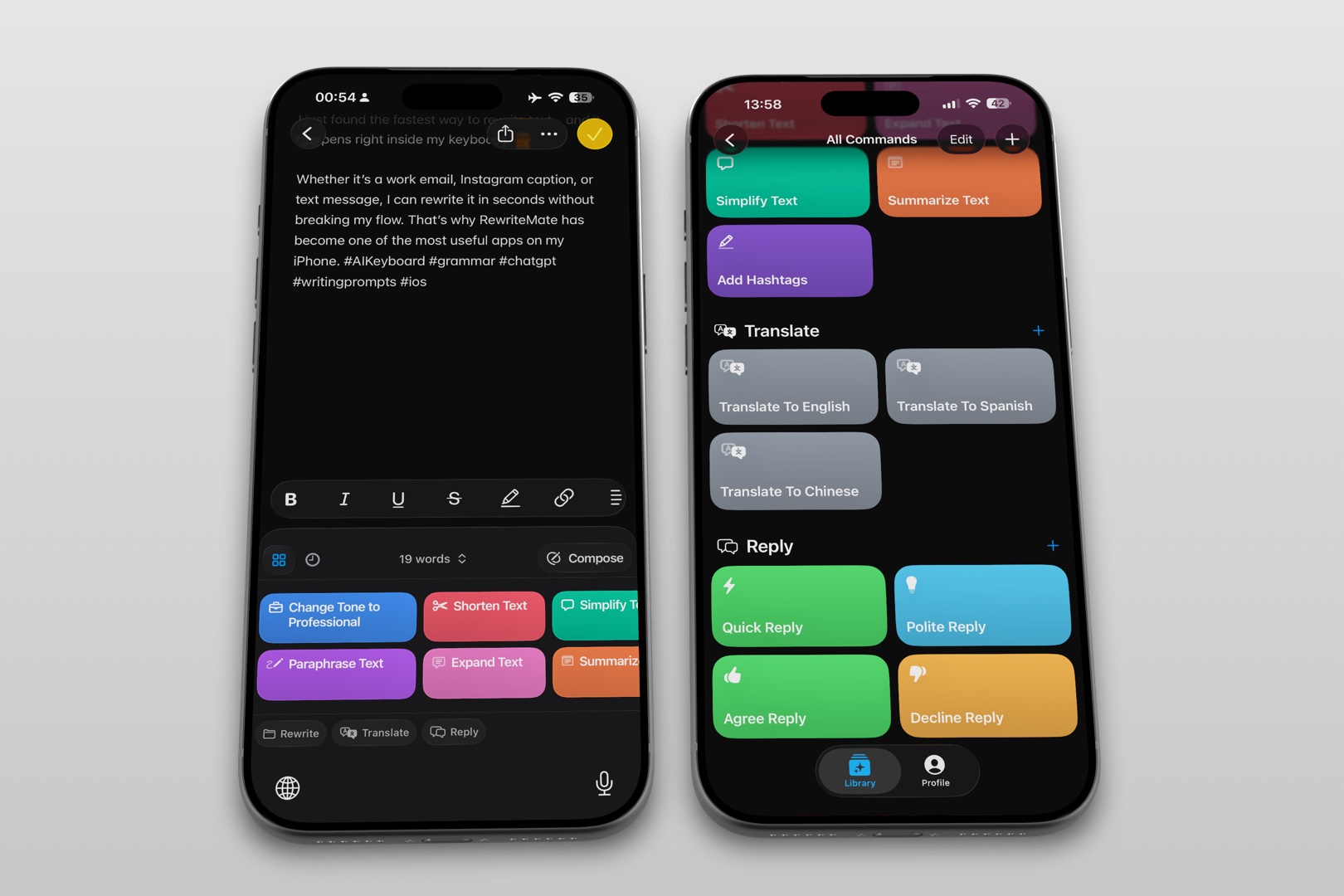
Apple Writing Tools provide a fixed set of actions.
RewriteMate allows users to create reusable AI commands tailored to their workflow.
Examples include:
- Rewrite like my CEO
- Friendly customer support reply
- Turn this into a LinkedIn comment
- Simplify technical writing
- Create executive summary
- Make this persuasive
- Rewrite for non-native English readers
These saved commands eliminate repetitive prompting and help maintain a consistent writing style.
If you regularly write similar emails or messages, custom commands can save significant time.
Translation & Multilingual Writing
Many professionals communicate across multiple languages every day.
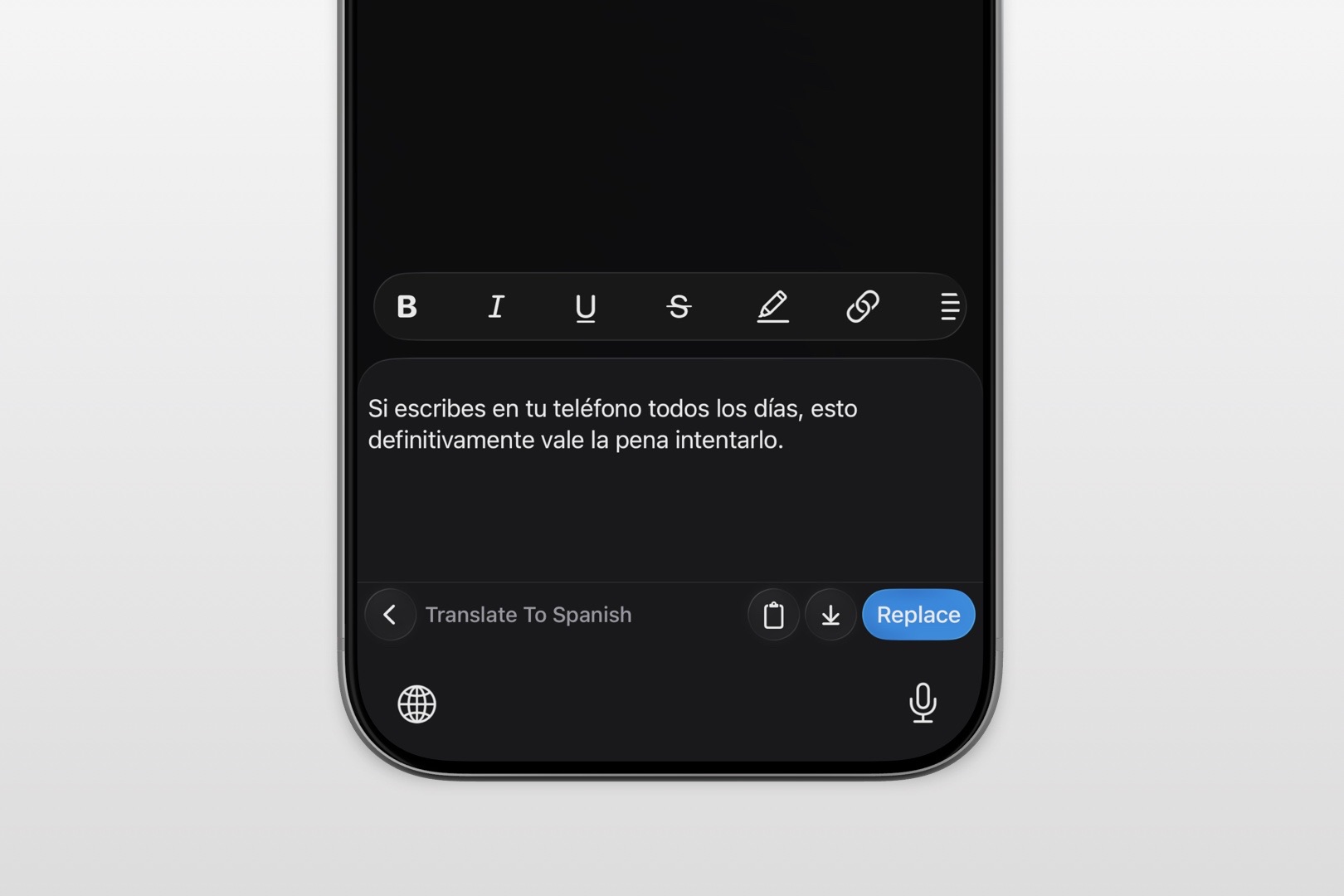
RewriteMate combines translation with AI rewriting, allowing users to translate content while preserving natural tone.
For example:
Write in English.
Translate to Spanish.
Then make it sound more professional.
Everything happens from the keyboard.
Apple Writing Tools also support multilingual writing improvements in supported languages, but RewriteMate's keyboard-first workflow can be more convenient for users who frequently switch languages while messaging.
Privacy & On-Device Processing
Privacy is one of Apple's strongest selling points.
Apple Intelligence is designed to process many requests directly on your device whenever possible. For more complex requests, Apple uses Private Cloud Compute, a system intended to extend AI capabilities while maintaining strong privacy protections.
RewriteMate, as a dedicated AI writing tool, focuses on providing AI-assisted writing features while handling requests securely according to its service architecture.
If on-device processing is your highest priority, Apple's built-in approach may be especially appealing.
If your priority is productivity and advanced writing workflows, RewriteMate provides a richer feature set while still emphasizing responsible handling of user content.
Apple Writing Tools vs Grammarly vs RewriteMate
Many users compare all three options before deciding.
| Feature | Apple Writing Tools | Grammarly | RewriteMate |
|---|---|---|---|
| Grammar correction | ✅ | ⭐⭐⭐⭐⭐ | ⭐⭐⭐⭐ |
| AI rewriting | ⭐⭐⭐ | ⭐⭐⭐⭐ | ⭐⭐⭐⭐⭐ |
| Keyboard workflow | ⭐⭐⭐ | ⭐⭐⭐⭐ | ⭐⭐⭐⭐⭐ |
| Custom AI prompts | ❌ | Limited | ✅ |
| Translation | Limited | Limited | ✅ |
| Productivity | Good | Very Good | Excellent |
Who Should Choose Apple Writing Tools?
Apple Writing Tools are a great fit if you:
- Already use Apple Intelligence
- Prefer built-in features
- Need occasional proofreading
- Mostly write inside Apple apps
- Don't require advanced customization
Because there's little setup involved, they provide a smooth experience for casual users.
Who Should Choose RewriteMate?
RewriteMate is ideal if you:
- Write throughout the workday
- Frequently rewrite emails
- Send many client messages
- Publish social media content
- Want reusable AI workflows
- Need multilingual writing support
- Value speed and flexibility
Heavy mobile writers often benefit from having AI available directly from the keyboard rather than as a separate editing step.
When Do You Need an Apple Writing Tools Alternative?
Apple Writing Tools are impressive, but some users eventually need more flexibility.
You might consider an Apple Writing Tools alternative if you:
- Want AI inside every typing session
- Prefer keyboard-based workflows
- Need custom prompts
- Frequently rewrite similar messages
- Translate between multiple languages
- Use AI throughout your workday
Rather than replacing Apple's tools, RewriteMate expands what's possible by bringing more advanced AI capabilities directly into the writing experience.
Write better everywhere
Rewrite, rephrase, and refine text instantly without switching apps.
Final Verdict
Apple Writing Tools and RewriteMate both make writing on an iPhone easier, but they serve different audiences.
| If you want... | Choose |
|---|---|
| Built-in Apple experience | Apple Writing Tools |
| No additional setup | Apple Writing Tools |
| AI everywhere you type | RewriteMate |
| Custom AI workflows | RewriteMate |
| Advanced rewriting | RewriteMate |
| Mobile productivity | RewriteMate |
If you're an occasional writer who values simplicity and seamless integration, Apple Writing Tools are an excellent choice.
If your iPhone is your primary productivity device—and you spend much of your day emailing, messaging, collaborating, or creating content—RewriteMate provides a more capable AI writing experience with faster workflows and greater flexibility.
Ultimately, the best choice depends less on which tool has more features and more on how often you rely on your iPhone to communicate.
Frequently Asked Questions
What are Apple Writing Tools?
Apple Writing Tools are AI-powered editing features included with Apple Intelligence. They can proofread, rewrite, summarize, and adjust the tone of text within supported apps on compatible Apple devices.
Is RewriteMate better than Apple Writing Tools?
It depends on your workflow. Apple Writing Tools are ideal for occasional editing within the Apple ecosystem, while RewriteMate offers more advanced AI rewriting, keyboard integration, and customizable workflows for frequent writers.
Can Apple Writing Tools replace Grammarly?
For basic proofreading and rewriting, Apple Writing Tools may be sufficient for many users. Grammarly still offers specialized grammar checking, while RewriteMate focuses on AI-assisted writing productivity.
Does RewriteMate work in more apps than Apple Writing Tools?
RewriteMate is designed as an AI keyboard, allowing it to work in most apps where the iPhone keyboard is available. Apple Writing Tools are available in supported apps on compatible Apple devices.
Which AI keyboard is best for iPhone?
If you're looking for a dedicated AI keyboard with rewriting, translation, and customizable commands, RewriteMate is a strong option. Users who primarily want built-in editing features may prefer Apple Writing Tools.
Are Apple Writing Tools free?
Apple Writing Tools are included with Apple Intelligence on supported devices, though access depends on compatible hardware, software versions, language availability, and regional rollout.
Can I use RewriteMate alongside Apple Writing Tools?
Yes. Many users choose to use Apple Writing Tools for quick built-in edits while relying on RewriteMate for faster keyboard-based AI assistance and more advanced rewriting tasks.
What's the best Apple Writing Tools alternative?
If you want AI integrated directly into your keyboard with advanced rewriting, reusable prompts, translation, and broader customization, RewriteMate is one of the strongest alternatives available for iPhone.
Related articles
Keep reading

How to Turn On Apple Intelligence and Writing Tools on iPhone
Learn how to enable Apple Intelligence and use Writing Tools on a compatible iPhone, plus what to check when the feature is missing and an alternative for unsupported devices.
Apple Intelligence Skipped Your iPhone. Here's What I Use.
Millions of iPhone 13 and 14 users were locked out of AI writing tools. There are better workarounds than copy-pasting into Notes.

RewriteMate vs Grammarly Keyboard: Which Is Better for Mobile Writing?
Compare RewriteMate vs Grammarly Keyboard to see which iPhone writing assistant fits your workflow. Learn the differences in AI rewriting, grammar checking, customization, pricing, and everyday mobile writing.

Felix Tran
RewriteMate Dev & Editorial Lead
Write about everyday workflows, systems that help ideas move faster, from first draft to finished work.